Table of Contents
When did WhatsApp roll out image generation tools?
WhatsApp has unveiled a suite of innovative features designed to streamline calls, supercharge AI creativity, and foster more interactive sharing. Announced on December 11 via the company’s official blog, these updates aim to make conversations “smoother, faster, and more expressive” for its over two billion global users, just in time for festive catch-ups with family and friends.
What Are WhatsApp’s New Missed Call Messages?
At the forefront is the Missed Call Messages feature, a modern twist on traditional voicemail that lets users leave quick voice or video notes when a call goes unanswered. If you’re dialing a loved one during a busy holiday gathering and they can’t pick up, simply tap to record a personalized message—voice for audio calls or video for video ones—and send it instantly. WhatsApp describes this as a way to “make voicemails a thing of the past,” ensuring recipients can easily catch up without the hassle of callbacks. The feature is rolling out now across iOS and Android, with desktop support to follow soon.

How Can You React During Voice Chats?
Complementing smoother calling are enhancements to group interactions. Voice chats now support non-intrusive reactions, such as a celebratory “cheers!” emoji, which can be sent mid-conversation without derailing the flow—perfect for virtual toasts or quick affirmations in family group calls.
What Does the Speaker Spotlight Do in WhatsApp Video Calls?
For video calls, a new “speaker spotlight” prioritizes the active participant in the feed, reducing visual clutter in larger groups and keeping the focus where it matters.
How Has Meta AI Improved Image Creation on WhatsApp?
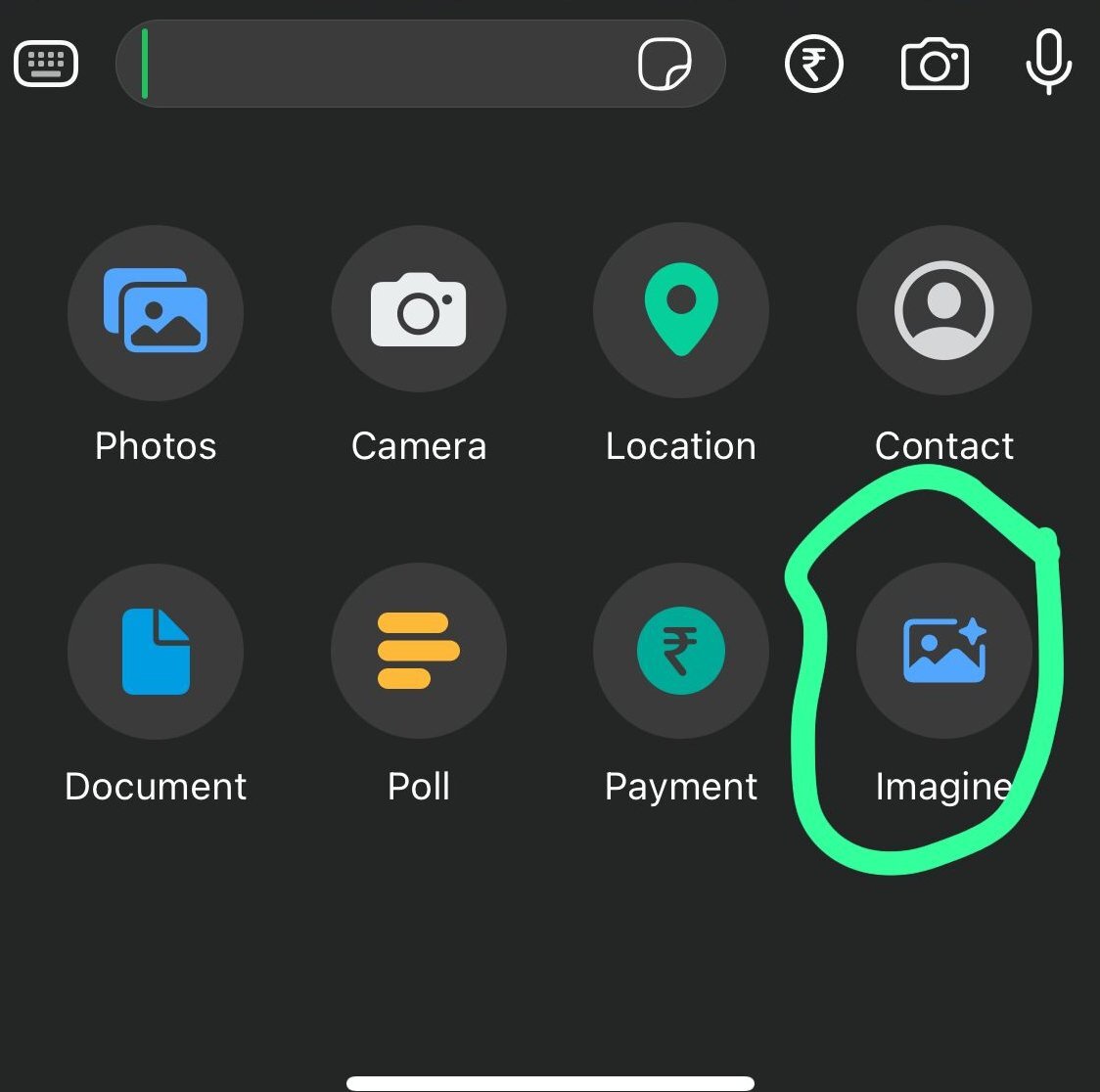
On the creative front, Meta AI is getting a significant upgrade, integrating advanced models from Flux and Midjourney to deliver “huge” improvements in image generation quality. Users can now craft sharper, more detailed visuals—like custom holiday cards or festive greetings—directly in chats or Status updates. Taking it further, the update introduces photo animation, allowing anyone to transform a static image into a short, engaging video clip. By entering simple prompts (e.g., “make this family photo dance to holiday lights”), Meta AI generates dynamic animations tailored to the moment, blending whimsy with ease for shareable content. These AI tools are available immediately on mobile and will expand to desktop in the coming weeks.

What’s New in WhatsApp’s Desktop Media Tab?
Desktop users will appreciate organizational tweaks, too: a dedicated media tab now centralizes documents, links, and shared files across chats for effortless sorting and retrieval, while refined link previews offer cleaner, more informative thumbnails without overwhelming the interface.
How Do New Stickers Make WhatsApp Status More Interactive?
Status updates are evolving into more interactive playgrounds with new sticker options, including music lyric templates for soundtrack-inspired posts, fun interactive designs to spark replies, and question prompts that invite direct responses from viewers.
What Are Questions on WhatsApp Channels?
Channel admins, meanwhile, gain questions on Channels, a tool for real-time polls and feedback that deepens audience engagement—ideal for community builders hosting holiday Q&As or event planning.
While WhatsApp hasn’t specified exact rollout timelines for every feature beyond the initial wave, the company hints at “more new features and updates soon,” signaling ongoing innovation amid growing competition from apps like Signal and Telegram. Privacy remains a cornerstone, with end-to-end encryption intact across all additions.
This holiday refresh underscores WhatsApp’s push toward AI-driven personalization and frictionless communication, potentially setting the tone for 2026 enhancements. As users dive into these tools, expect a surge in animated greetings and seamless voice notes lighting up inboxes worldwide. For the latest, check WhatsApp’s blog or app settings for update availability.