
Table of Contents
What you need to know about X Chat?
XChat is the latest addition to the X platform, formerly known as Twitter, transforming its direct messaging system into a more robust tool for private communication. Launched as part of Elon Musk’s vision to turn X into an “everything app,” XChat aims to handle secure chats, calls, and file sharing without needing a separate download. As of October 22, 2025, free users like yourself are gaining access, marking a shift from its initial premium-only rollout. This article dives deep into XChat’s origins, mechanics, comparisons to rivals, and what lies ahead, answering the questions users are searching for right now.
What is XChat?
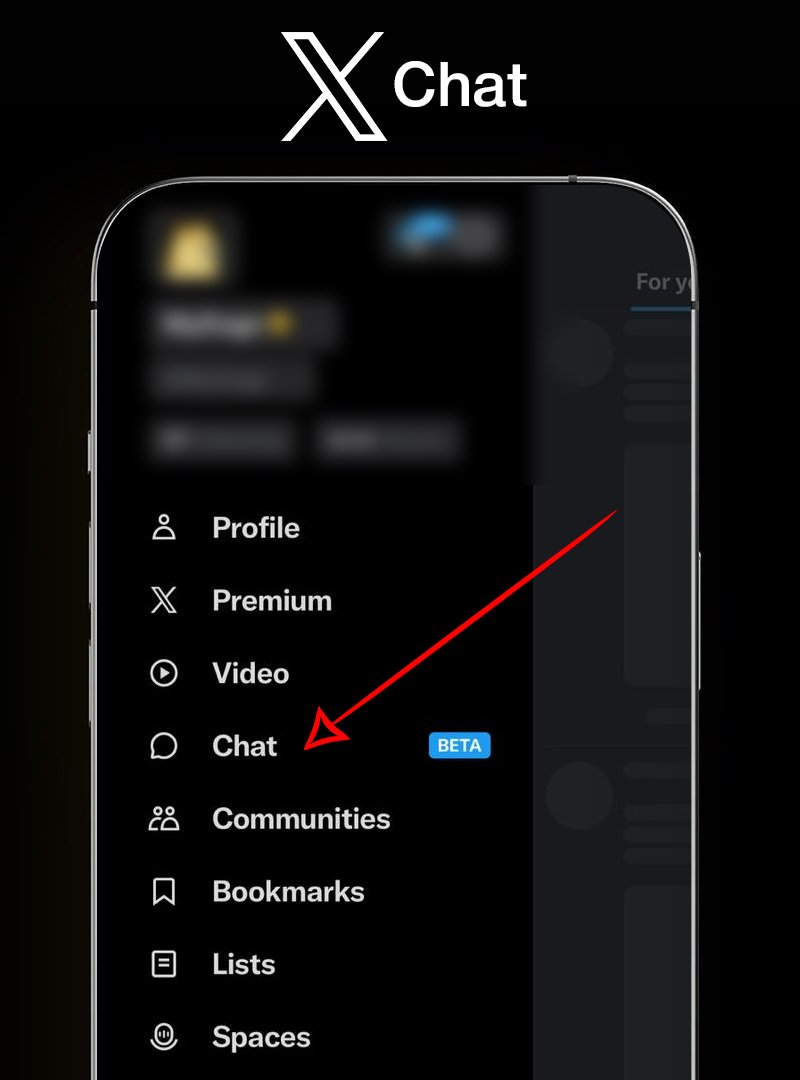
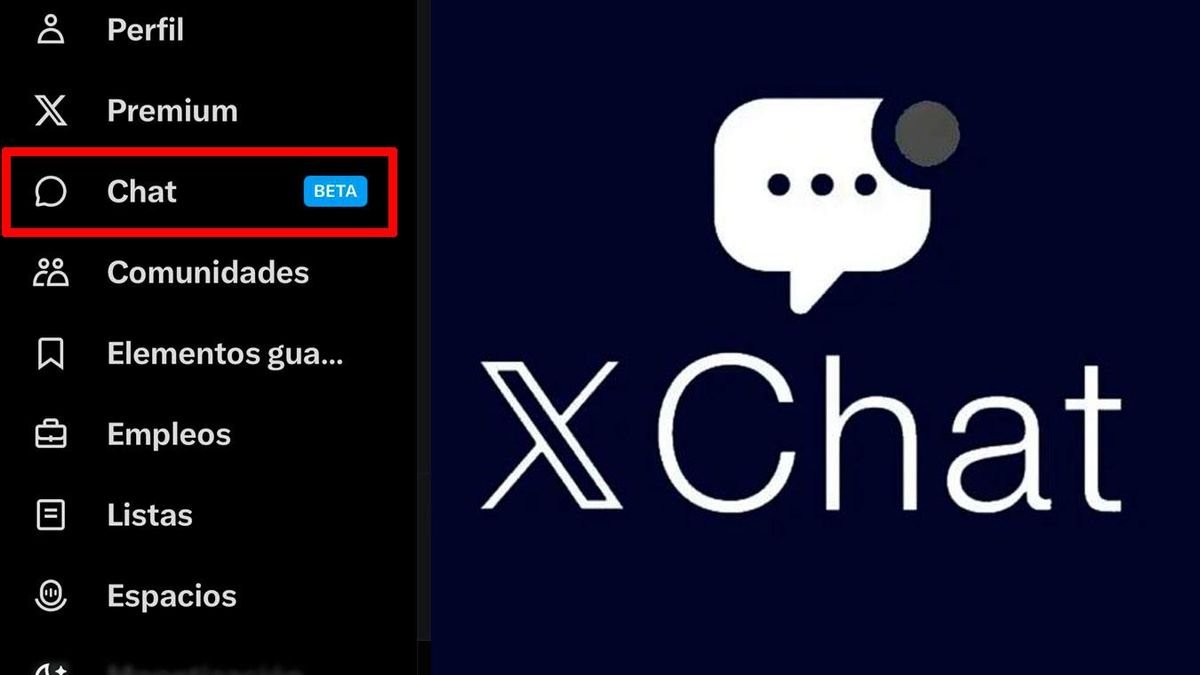
XChat is an upgraded private messaging system integrated directly into the X app. It’s not a standalone application but a revamped version of X’s direct messages (DMs), designed for end-to-end encrypted conversations, group chats, and multimedia sharing. Unlike basic DMs, XChat supports features like vanishing messages that auto-delete after a set time, the ability to delete messages for everyone in the chat, and sending unlimited file types without size restrictions.
All new XChat is rolling out with encryption, vanishing messages and the ability to send any kind of file. Also, audio/video calling.
This is built on Rust with (Bitcoin style) encryption, whole new architecture.— Elon Musk (@elonmusk) June 1, 2025
At its core, XChat uses your X handle (@username) for identification, eliminating the need for a phone number. This makes it seamless for users already on X to start chatting with followers, communities, or new contacts. Built on Rust programming language with encryption inspired by Bitcoin’s protocols, XChat prioritizes security while tying into X’s social ecosystem—think sharing posts directly into chats or pulling in Grok AI for conversation assistance.
Early adopters describe it as a blend of social networking and instant messaging, where your timeline and private talks coexist in one app. It’s available on iOS, Android, and web, but the full experience shines on mobile.


When was XChat invented and when did it become free?
The idea for XChat stems from Elon Musk’s long-standing ambition to evolve X beyond short posts into a multifaceted platform rivaling WeChat. Musk acquired Twitter in October 2022 and rebranded it to X in July 2023, frequently teasing expansions like payments, video, and messaging. Whispers of enhanced DMs surfaced in late 2024, but concrete development ramped up in early 2025.
Previews leaked in April 2025 via X’s engineering accounts, hinting at encrypted DMs and file sharing. By May 29, 2025, beta testing began for select Premium users, focusing on core privacy tools. Elon Musk first publicly mentioned XChat on June 1, 2025, in a post that went viral: “All new XChat is rolling out with encryption, vanishing messages and the ability to send any kind of file. Also, audio/video calling. This is built on Rust with (Bitcoin style) encryption, whole new architecture.” This announcement sparked widespread buzz, with over 31 million views in days.
Development drew from open-source inspirations, including Signal’s encryption model, but adapted for X’s scale. Musk’s team at xAI contributed to AI integrations, though those are still rolling out. By July 2025, user feedback shaped updates like unread message options and better group management. The feature “invented” X’s messaging anew, moving from legacy servers to a ground-up architecture to handle billions of messages securely.
When Was XChat Launched?
This is how the new messaging platform was rolled out through 2025.
- Beta Launch (May 29, 2025): Initial rollout to a small group of Premium subscribers for testing encryption and basic chats.
- Public Announcement and Wider Beta (June 1-2, 2025): Musk’s post kicked off broader access for Premium users, with features like audio calls going live that week. By June 5, beta users reported stable file sharing.
- Premium-Only Expansion (July-August 2025): Rolled out to all X Premium and Premium+ subscribers, adding vanishing mode and delete-for-all.
- Free User Rollout Begins (September 4, 2025): X expanded access beyond paywalls, starting with non-Premium users in select regions. TechCrunch noted it as a “broader rollout,” though full encryption setup remained opt-in. This addressed criticisms of exclusivity.
- Full Free Access Milestone (October 2025): As of October 20-22, 2025, free users worldwide, including you, are seeing XChat in their apps after updates. Posts from October 21 confirm “no separate app, just your @handle” for free chats. It’s not exactly “launched free today,” but the phased free tier peaked this week, coinciding with app version 10.45+.
No exact “invention date” exists publicly, but code commits trace to January 2025, per GitHub leaks tied to xAI.
Why Was XChat Launched?
Musk launched XChat to consolidate X as a one-stop app for social, payments, and communication—echoing his WeChat envy. In a June 2025 interview, he said, “X should be where you message friends, call family, and pay bills without switching apps.” It counters WhatsApp’s dominance (2.5 billion users) by leveraging X’s 600 million active users for instant network effects.
Privacy scandals on other platforms fueled it too; XChat’s Bitcoin-style encryption promises “no backdoors,” appealing to crypto enthusiasts. Revenue-wise, it boosts Premium subscriptions (advanced features like AI bots) while keeping basics free. Ultimately, it’s a defensive play: retain users amid competition from Threads and Bluesky.
How to Access XChat
Accessing XChat is straightforward since it’s baked into the X app—no extra download needed.
- Update Your App: Ensure you’re on the latest X version (iOS/Android: 10.45 or higher; web via x.com).
- Open Messages: Tap the envelope icon in the bottom navigation bar.
- Enable XChat: If prompted, select “Start XChat” or “Upgrade to Encrypted.” Free users get core access; Premium unlocks extras.
- Set Up Encryption: Enter a 4-digit PIN to generate your key pair. This secures chats on X’s servers—recoverable via seed phrase if you forget.
- Free vs. Premium: Free: Basic encryption, files up to 1GB, calls. Premium ($8/month): Unlimited files, vanishing mode, Grok integration.
- Regions: Available globally, but calls may lag in low-bandwidth areas. If unavailable, check Settings > Privacy > Messaging.
Web access is limited to text; full features need mobile.
How to Use the new “Twitter” Chat
Using XChat feels like DMs on steroids—intuitive for X veterans.
Starting a Chat
- Search for a @handle in the Messages tab.
- Tap “Message” to open a one-on-one or create a group (up to 1,000 members for Premium).
- No phone sync: Just follow or mention to initiate.
Sending Messages
- Type and hit send. Supports emojis, GIFs, polls.
- Voice notes: Hold mic icon (rolling out fully October 2025).
- Files: Attach any type (PDFs, videos) via + icon—no compression like WhatsApp.
Calls and Media
- Tap phone/video icon for end-to-end encrypted calls (up to 8 in groups).
- Share screens or live streams directly.
Privacy Controls
- Vanishing mode: Set messages to delete after 1-24 hours.
- Delete for all: Long-press a message > Delete > For Everyone.
- Unread: Swipe left on chat to mark unread.
- Screenshot alerts: Notify if someone captures your chat.
Advanced Tips
- Integrate posts: Forward tweets into chats.
- Bots: Add Grok for summaries (Premium beta).
- Multi-device: Syncs across phone, tablet, web.
Troubleshoot: If messages fail, clear cache or restart app.
Key Features of the new chatting platform
XChat packs tools for secure, versatile messaging:
- End-to-End Encryption: Messages, calls, files—only sender/receiver can access. PIN-protected.
- Vanishing Messages: Auto-delete for privacy.
- Unlimited File Sharing: Any format, no 2GB cap.
- Audio/Video Calls: HD quality, no number required.
- Delete/Unread for All: Fix regrets instantly.
- Group Chats: Advanced moderation, polls.
- Screenshot Detection: Alerts for captures.
- AI Integration: Grok assists in chats (upcoming).
More: Channels for broadcasts, bots for automation—expanding monthly.
XChat vs WhatsApp
XChat challenges WhatsApp’s 2.7 billion users head-on, but differences abound. Here’s a detailed breakdown:
| Feature | XChat | |
|---|---|---|
| Sign-Up Requirement | X handle (@username) only, no phone number needed | Phone number required |
| Encryption | Opt-in end-to-end (Bitcoin-style), PIN setup required | Default end-to-end for all chats |
| File Sharing Limit | Unlimited size and any file type (no compression) | 2GB max per file, some compression applied |
| Calls | Integrated audio/video calls, up to 8 in groups, no phone needed | Audio/video calls, phone number-based |
| Social Integration | Deep ties to X timeline, post sharing into chats | Standalone app, no social feed integration |
| Pricing Model | Free basics; Premium ($8/month) for unlimited files, AI, vanishing | Completely free, no subscriptions |
| Vanishing Messages | Customizable (1-24 hours), available to Premium users | Disappearing messages (up to 7 days), free for all |
| Group Size Limit | Up to 1,000 members (Premium) | Up to 1,024 members |
| Screenshot Alerts | Yes, notifies sender if chat is screenshotted | No |
| Delete for Everyone | Yes, up to 2 hours after sending | Yes, up to 2 days after sending |
| Cross-Platform | Full support on iOS, Android, web (limited on web) | Full support on iOS, Android, web, desktop |
| Ads | None in chats; platform ads elsewhere | No ads |
| User Base | ~600 million (tied to X users) | ~2.7 billion |
| Backup Options | Server-side with PIN recovery; no cloud export | iCloud/Google Drive backups (encrypted but metadata accessible) |
XChat wins on integration and anonymity but lags in cross-platform polish. WhatsApp excels in simplicity; XChat in social depth.
XChat vs Facebook Messenger
Facebook Messenger, with over 1 billion users, is a social-tied messenger like XChat, but rooted in Meta’s ecosystem. Key differences:
| Feature | XChat | Facebook Messenger |
|---|---|---|
| Sign-Up Requirement | X handle only | Facebook account required (real name policy) |
| Encryption | Opt-in full end-to-end | Partial end-to-end (opt-in for secret conversations only) |
| File Sharing Limit | Unlimited size/type | 25MB per file, limited types |
| Calls | Audio/video, group up to 8, no phone | Audio/video, group calls, phone integration |
| Social Integration | X posts and timeline sharing | Facebook feeds, stories, and events |
| Pricing Model | Free basics; Premium extras | Free, with in-app purchases for effects/games |
| Vanishing Messages | Yes (Premium) | Yes, in secret chats (24 hours default) |
| Group Size Limit | 1,000 (Premium) | Up to 250 members |
| Screenshot Alerts | Yes | No |
| Delete for Everyone | Yes | Yes, within 10 minutes |
| Cross-Platform | iOS, Android, web | iOS, Android, web, desktop (full sync) |
| Ads | None in chats | Occasional sponsored messages |
| User Base | ~600 million | ~1 billion |
| Backup Options | PIN-based recovery | Facebook cloud, but privacy concerns with Meta |
XChat offers better privacy out-of-the-box, while Messenger has richer multimedia effects and games.
XChat vs Old X DMs
XChat is essentially an overhaul of X’s legacy direct messages, addressing long-standing limitations. Here’s how they stack up:
| Feature | XChat | Old X DMs |
|---|---|---|
| Encryption | Opt-in end-to-end, Bitcoin-style | None (server-accessible) |
| File Sharing Limit | Unlimited size/type | Limited to images/videos, 25MB cap |
| Calls | Audio/video calls integrated | No calls available |
| Vanishing Messages | Yes (1-24 hours) | No |
| Delete for Everyone | Yes, anytime | No, only deletes for sender |
| Group Size Limit | Up to 1,000 | Up to 50 members |
| Screenshot Alerts | Yes | No |
| Unread Marking | Swipe to mark unread | No native feature |
| Integration | Deep with X posts, Grok AI | Basic text-only, minimal integration |
| Availability | Free and Premium tiers | Free for all, but outdated |
| Security Setup | PIN and seed phrase | None |
| Multi-Device Sync | Full sync across devices | Limited, often buggy |
Old DMs were fine for quick notes but insecure; XChat makes X a viable daily messenger.
XChat vs Telegram
Telegram, known for speed and channels, has 900 million users. XChat borrows some ideas but stays social-focused.
| Feature | XChat | Telegram |
|---|---|---|
| Sign-Up Requirement | X handle only | Phone number required |
| Encryption | Opt-in end-to-end for all | Optional “secret chats” only; cloud chats not E2E |
| File Sharing Limit | Unlimited | 2GB per file, all types |
| Calls | Audio/video, group | Audio/video, one-on-one only (group calls beta) |
| Social Integration | X ecosystem | Channels and bots, standalone |
| Pricing Model | Free/Premium | Free, with Premium ($4.99/month) for extras |
| Vanishing Messages | Yes | Yes, self-destruct timer in secret chats |
| Group Size Limit | 1,000 | Up to 200,000 members |
| Screenshot Alerts | Yes | Yes in secret chats |
| Delete for Everyone | Yes | Yes, up to 48 hours |
| Cross-Platform | iOS, Android, web | Full desktop app, open-source clients |
| Ads | None in chats | Channel ads for large groups |
| User Base | ~600 million | ~900 million |
| Backup Options | PIN recovery | Cloud backups (not E2E) |
Telegram leads in scale and openness; XChat in seamless social use.
XChat vs Signal
Signal prioritizes privacy with 40 million users. XChat aims to match but with broader appeal.
| Feature | XChat | Signal |
|---|---|---|
| Sign-Up Requirement | X handle only | Phone number required |
| Encryption | Opt-in end-to-end | Default end-to-end for everything |
| File Sharing Limit | Unlimited | 100MB per file |
| Calls | Audio/video, groups | Audio/video, groups up to 40 |
| Social Integration | X posts | None, pure messaging |
| Pricing Model | Free/Premium | Completely free, donations |
| Vanishing Messages | Yes | Yes, disappearing messages |
| Group Size Limit | 1,000 | Up to 1,000 members |
| Screenshot Alerts | Yes | No |
| Delete for Everyone | Yes | Yes, anytime |
| Cross-Platform | iOS, Android, web | Full desktop, open-source |
| Ads | None | None |
| User Base | ~600 million | ~40 million |
| Backup Options | PIN | No automatic backups (privacy-focused) |
Signal is the privacy gold standard; XChat adds social flair without phone ties.
XChat vs iMessage
iMessage, Apple’s 1.3 billion-user service, is ecosystem-locked. XChat is more open.
| Feature | XChat | iMessage |
|---|---|---|
| Sign-Up Requirement | X handle only | Apple ID (email/phone) |
| Encryption | Opt-in end-to-end | Default end-to-end (iMessage); SMS fallback not encrypted |
| File Sharing Limit | Unlimited | 100MB via iMessage |
| Calls | Audio/video, cross-platform | FaceTime integration, iOS-only full features |
| Social Integration | X social feed | Apple ecosystem (Photos, Contacts) |
| Pricing Model | Free/Premium | Free with Apple devices |
| Vanishing Messages | Yes | No native, but third-party workarounds |
| Group Size Limit | 1,000 | Up to 32 members |
| Screenshot Alerts | Yes | No |
| Delete for Everyone | Yes | Yes, up to 2 minutes |
| Cross-Platform | All platforms | iOS/macOS primary; green bubbles for Android |
| Ads | None | None |
| User Base | ~600 million | ~1.3 billion (Apple users) |
| Backup Options | PIN | iCloud (end-to-end encrypted) |
iMessage shines in Apple polish; XChat in universality.
Common Questions About XChat
Users flood searches with these—here’s clarity:
Why Can’t I Access XChat?
- Rollout Phase: Still beta in some regions; update app or wait 24-48 hours.
- Premium Gate: Early access was Premium-only; free now, but toggle in settings.
- Device Issues: iOS/Android only for full; web limited. Clear cache if stuck.
- Region Blocks: VPN if geo-restricted (rare).
Is XChat Safe?
Yes, E2E means X can’t read chats, but opt-in—enable PIN. Critics note it’s “no Signal-level” yet.
Does XChat Need a Phone Number?
No—@handle suffices, unlike rivals.
Can I Use XChat on Web?
Text yes; calls/files mobile-preferred.
Why Is XChat Slow?
High traffic post-October rollout; Musk tweeted fixes incoming.
How Do I Recover Deleted Messages?
Can’t—design intent for privacy. Backups via PIN recovery.
More FAQs: X Help Center covers setup glitches.
Will There Be a Standalone XChat App?
No plans announced for a separate app. Musk emphasizes integration: “XChat lives inside X for the super app vision.” Rumors of a 2026 spin-off persist, but September 2025 clarifications confirm it’s DM evolution, not standalone. Future: Deeper ties to X Payments by December 2025.
Where Is XChat Heading?
XChat heads toward full “everything app” status: Voice messages Q4 2025, banking chats by year-end, and 1B users via X growth. It could dent WhatsApp in social-heavy markets like India, but security audits loom. Analysts predict 20% X user adoption by 2026, rivaling Telegram’s rise. Challenges: Scaling encryption without outages, competing on trust.
Musk’s tease: “XChat + Grok + Payments = Future.” If it delivers, expect WhatsApp jitters.
Final Thoughts on XChat
XChat isn’t just DMs—it’s Musk’s bet on unified digital life. From June’s beta buzz to today’s free access, it’s evolved fast. Whether ditching WhatsApp or enhancing X scrolls, it answers privacy calls in a fragmented world. Update your app, set that PIN, and chat on. For latest, follow @elonmusk or X Help.