
Table of Contents
When was Siri AI launched with the final speech from Tim Cook?
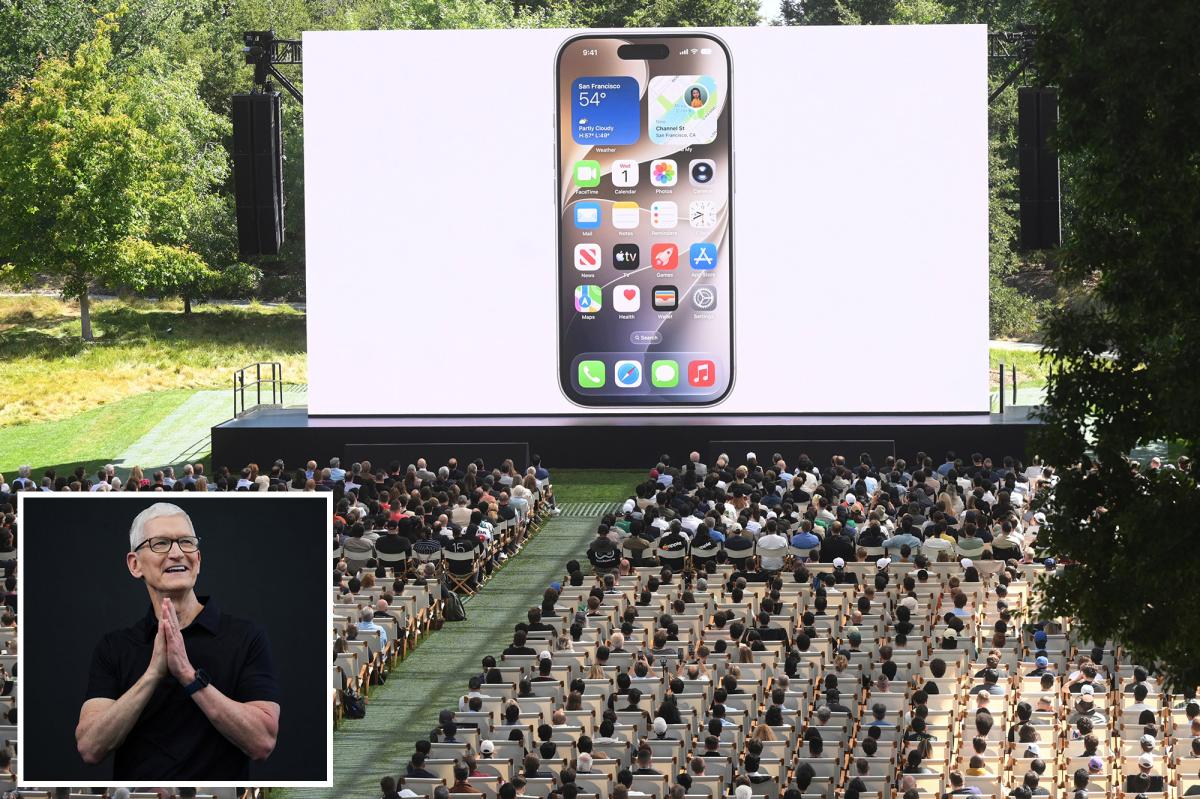
The World Wide Developers Conference (WWDC) happened with an immense level of historical and corporate weight with Siri AI announced on 8th June 2026. This was the official last dance for Tim Cook, who gave his final, iconic “good morning” address before formally preparing to step down from the Chief Executive Officer role.
Stepping directly into the spotlight to succeed Cook is John Ternus, Apple’s newly designated CEO, who takes the wheel at a time when the consumer electronics giant faces intense pressure to prove its systemic dominance in the age of artificial intelligence.
Also read about the lower prices of Google AI Plus
The stakes for this year’s WWDC were accelerated by the legal and financial fallout of Apple’s recent past. Following two years of aggressive marketing campaigns where Apple continuously assured consumers that their devices were on the verge of becoming supercharged with native artificial intelligence, the company was hit with a massive 250 million dollar class-action lawsuit for severely underdelivering on those public promises.
Will Siri AI be banned in some continents?
While the new Siri AI aesthetic and user interface designs presented at the conference are undeniably premium, a deep analytical look reveals significant question marks surrounding real-world functionality, steep hardware exclusivity boundaries, and a massive geopolitical legal war with European Union regulators that threatens to completely stall the rollout of these features for millions of international users.
How do you customize the new liquid glass interface and transparency settings on iOS and macOS?
You can customize the new liquid glass interface by adjusting a dedicated transparency slider located directly inside the system settings menu to control background blur intensity. Recognizing that global consumers rarely agree on the perfect balance of visual background blur, Apple added this user interface tool to grant individuals the absolute freedom to manually dial the liquid glass intensity up or down depending on their environmental lighting preferences or stylistic tastes.
This update follows a year of receiving feedback from users who complained that the default transparency and blur levels of the liquid glass interface caused visual clutter and required excessive squinting to read icon text, prompting Apple to systematically tone down the transparency by default.
Given the massive financial stakes riding on the keynote presentation, many industry insiders found it remarkably ironic that Apple dedicated the opening segments of its presentation to minute visual adjustments, such as tightening the corner radiuses of every single application window within the Mac interface to create absolute symmetry across the entire operating system. However, this aesthetic refinement points to a much larger backend theme for the software cycle: optimization, stability, and the structural correction of interface flaws.
What is Siri AI?
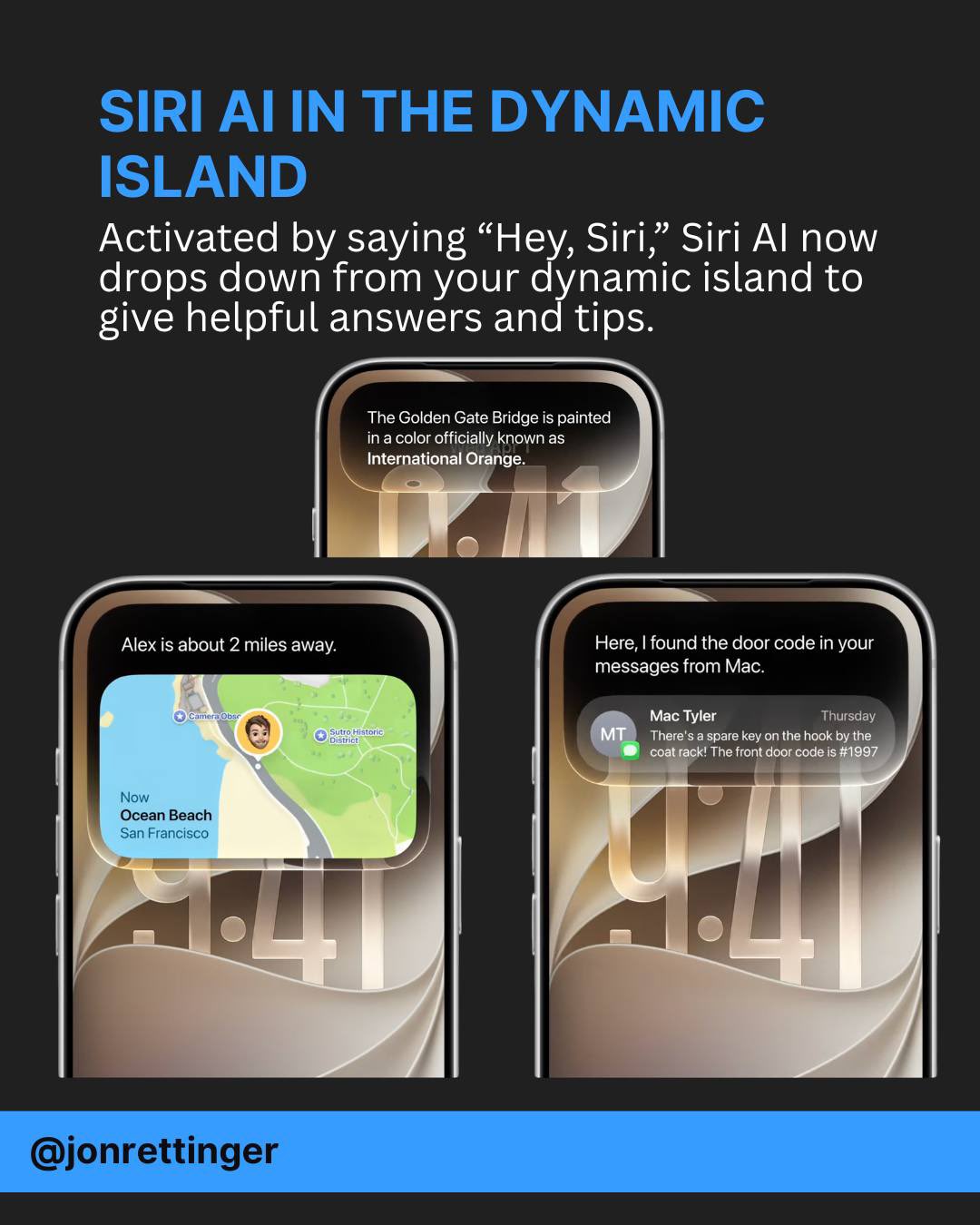
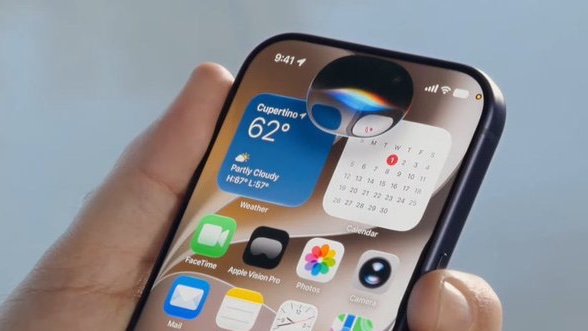
Siri AI is the latest Apple next-generation artificial intelligence assistant. It was officially unveiled at WWDC 2026 to replace the legacy Siri system. Powered by a hybrid processing architecture that combines Apple’s custom on-device models with Google’s Gemini foundational engine, Siri AI lives natively inside the Dynamic Island with a completely redesigned liquid glass look.
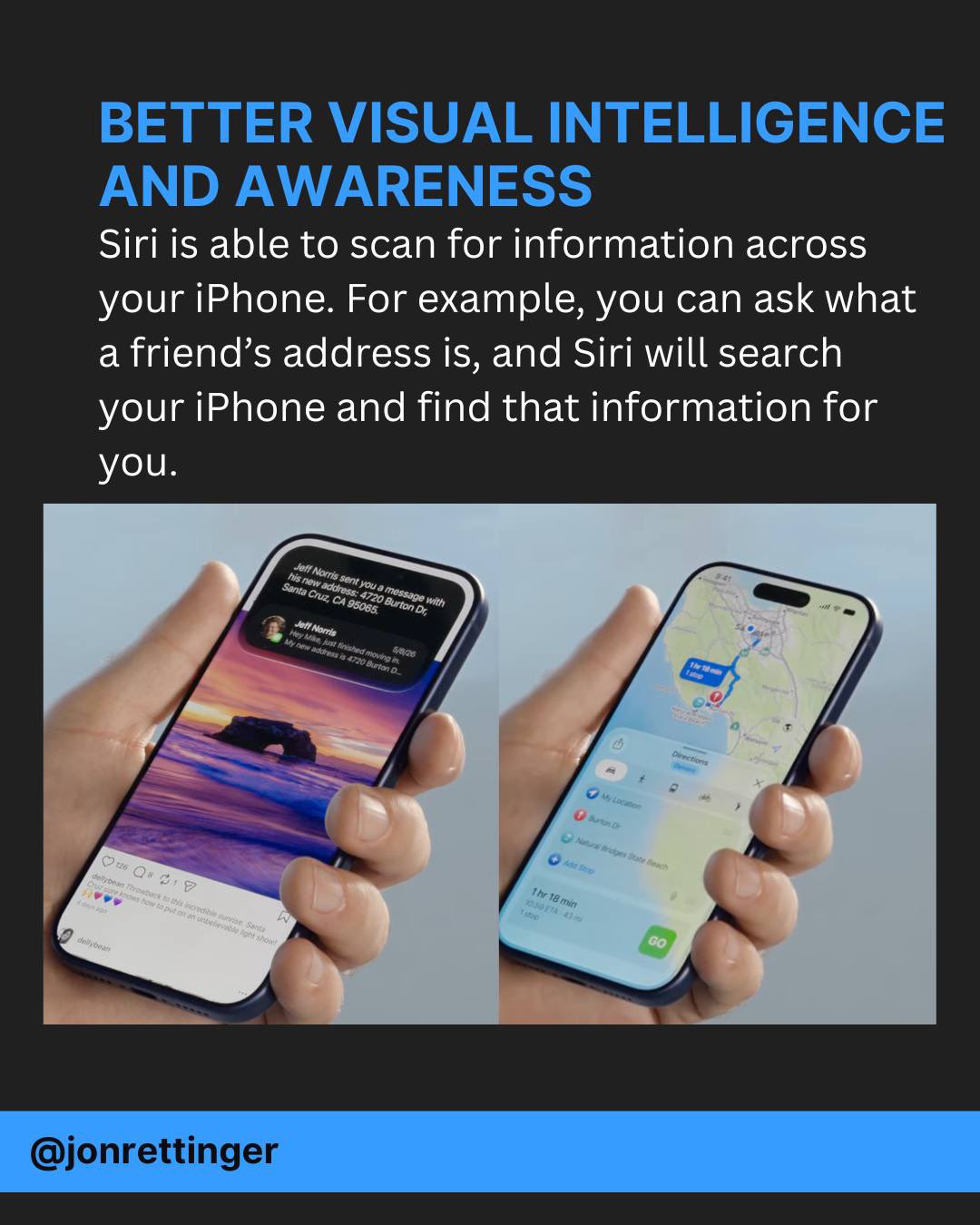
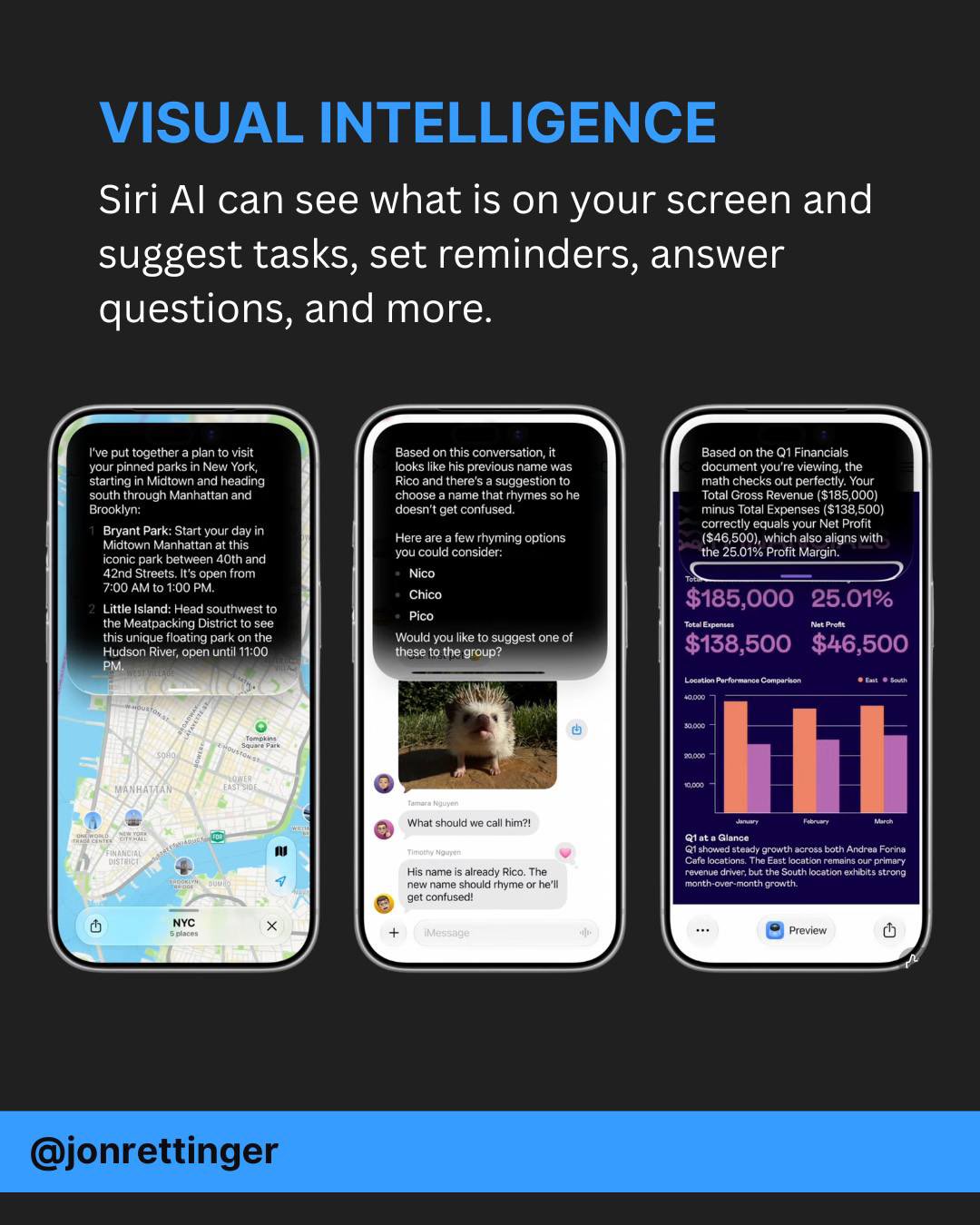
Unlike the old voice utility, it possesses advanced features like screen awareness to understand what you are looking at, deep personal context indexing to securely retrieve information from your local messages and files, and the capacity to maintain fluid, continued conversations. While it completely automates complex system tasks like creating voice-driven shortcuts, its full capabilities are strictly exclusive to Apple’s latest premium processors like the A18 Pro and M-series chips.
How much faster do apps, photos, and AirDrop load in the new iOS update?
In the new updates, core system actions are substantially accelerated: standard iPhone applications now load up to 30 percent faster from a cold start, local photos render up to 70 percent faster in your gallery, and AirDrop transfer speeds are up to 80 percent faster. This system-wide performance upgrade marks a broader backend stabilization cycle. Apple periodically pauses the introduction of radical hardware form factors to focus exclusively on refining system speeds and file-indexing protocols.
These infrastructure overhauls deliver real-world speed spikes enabled by deep file-indexing systems that allow the device to locate, organize, and search through subterranean system directories with unprecedented speed.
What are the new parental control and child protection features on the iPhone?
The new parental control and child protection features on the iPhone allow parents to remotely approve or block app downloads, website visits, and new contacts via real-time notification prompts routed directly to the guardian’s device. Every time a child attempts to download a new application from the App Store, a real-time notification ping is sent to the parent, displaying the app’s data and requiring an explicit remote approval to install.
This administrative oversight extends directly into daily communication and web browsing; if a minor attempts to visit a new website for the first time or add a completely new contact within their messaging database, the parent receives an automated prompt to either verify or block the action.
The system is engineered to combat both online safety threats and the broader issue of digital overstimulation among developing minds. Parents can structure their children’s devices to start with a minimal, tightly controlled ecosystem of core utility applications during early childhood, systematically unlocking broader functionalities as the child matures.
How does the new screen time scheduling work for educational and entertainment apps?
The new temporal scheduling matrices allow parents to configure a child’s device to restrict access to specific app categories based on the time of day, locking entertainment options during school hours. Parents can configure the child’s phone to operate exclusively as an educational tool during official school hours—permitting access only to academic applications—while programming entertainment, streaming, and gaming platforms to automatically unlock for a brief, pre-approved window in the evening.
While civil liberties groups debate whether this system crosses the line into complete surveillance, Apple’s implementation directly addresses intensifying global governmental pressures demanding stricter child safety guardrails within commercial software ecosystems. Simultaneously, it serves as a highly effective corporate retention strategy, ensuring that children are securely locked into the Apple ecosystem long before they are old enough to evaluate alternative computing platforms.
Which AI engine powers the new Siri AI assistant on Apple devices?
The new Siri AI assistant is powered by Google’s Gemini foundational model under a historic corporate agreement costing Apple an estimated 1 billion dollars annually. Consequently, the vast majority of the technical capabilities demonstrated by Siri AI are features that have already been actively deployed within the Google Pixel and Android ecosystems for multiple development cycles.
Despite drawing its raw intelligence from external infrastructure, Apple’s localized implementation represents a massive, generational leap over the legacy Siri model, which had become a public laughingstock for its inability to process basic contextual commands.
Siri AI features a completely overhauled visual profile, moving away from old interface overlays to live natively as a fluid, responsive element directly inside the Dynamic Island. The system design is highly integrated with the physical hardware; when Siri AI is activated, the visual notifications and glowing pop-ups blend into the physical camera cutout at the top of the display, making the software feel like a natural extension of the phone’s physical chassis.
Can the new Siri AI track context across continued conversations?
Yes, the new Siri AI tracks pronouns and contextual references perfectly across consecutive lines of dialogue, allowing users to engage in fluid, multi-step conversations without repeating information. Users no longer need to repeat context or prompt the assistant from scratch. For example, a user can verbally inquire about when a specific musical band is performing in the city, and once Siri AI returns the date, immediately follow up by asking, “How can I get tickets?” The assistant bridges the connection seamlessly.
What is screen awareness and how does Siri AI use it?
Screen awareness is a feature that allows Siri AI to continuously analyze the active visual data rendered on your display, letting you issue commands about on-screen items without describing them. If a user is reviewing a photograph sent by a friend, they can simply ask, “Where exactly was this taken?” The assistant reads the metadata and visual content of the active screen without requiring the user to manually upload or describe the file.
This is reinforced by deep personal context indexing. Because the operating system now maps and indexes historical user data with immense precision, Siri AI possesses secure, background access to the user’s entire historical archive of text messages, emails, calendar events, and photo galleries. This allows the assistant to pull up highly specific files at just the right time based on casual, conversational requests.
How do you customize Siri AI’s voice pacing and expressivity?
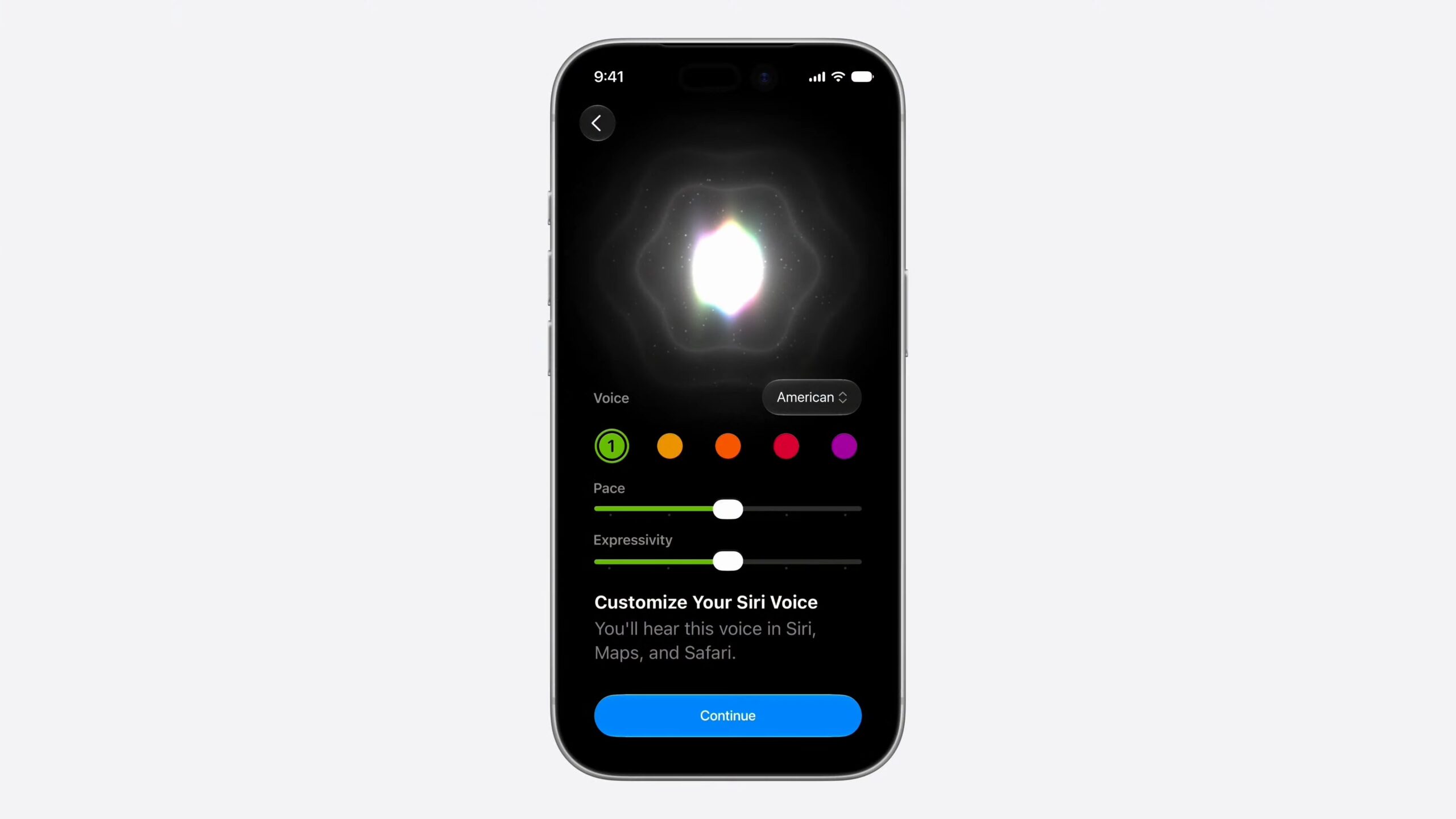
You can customize Siri AI’s voice pacing and expressivity by accessing the dedicated user interface configuration panel in system settings to adjust the assistant’s delivery style. The vocal delivery of the assistant has undergone a major acoustic transformation, achieving an unprecedented level of human-like expressivity, pacing, and tonal variation. Users can explicitly configure the exact speed, tone, and emotional delivery of the voice to match their personal listening preferences.
The overall user journey has been streamlined to minimize friction: Siri AI lives at the top of the interface layout, where a quick downward swipe allows a user to initiate a rapid voice command, while an additional pull-down fluidly transitions the user into a dedicated, full-screen Siri application. This centralized environment stores and synchronizes the user’s complete conversational histories cleanly across their iPhones, iPads, Apple Watches, and Mac computers.
How does Siri AI compare to Google Gemini, ChatGPT, and Claude?
Siri AI stands out from other major AI systems because it features complete native operating system integration and direct hooks into local hardware, whereas competitors primarily function within application sandboxes or cloud layers. To fully understand where Apple’s new assistant sits in the current competitive landscape, it is necessary to contrast its architecture, integration depth, and data privacy protocols against the other dominant players in the consumer artificial intelligence market.
| Performance Metric | Apple Siri AI | Google Gemini (Android) | OpenAI ChatGPT | Anthropic Claude |
| Primary Core Engine | Google Gemini Infrastructure Hybrid (Custom Apple On-Device Models + Cloud) | Google Ultra / Pro Native Models | GPT-4o / Custom Proprietary LLMs | Claude 3.5 Sonnet / Proprietary Models |
| System Integration Depth | Complete Native OS Integration; direct hooks into local hardware, cameras, and system file directories | Deep Android OS Integration; directly tied to Google Workspace, system search, and cloud accounts | Application-Layer Limited; operates primarily within a sandbox app or browser extension framework | High-Level API / Browser Centric; zero native operating system hooks or hardware device control |
| User Data Privacy Framework | Private Cloud Compute; local on-device processing combined with secure, encrypted server arrays | Standard Google Cloud Security; account-level data synchronization across global servers | Corporate Cloud Processing; data utilized for model training unless manually opted out by user | High Enterprise-Grade Privacy; strict data retention policies with zero consumer training models |
| Primary Interface Model | Dynamic Island Integration, dedicated synchronized cross-device app, system-wide vocal overlays | Floating contextual overlay, home-button activation, standalone dedicated mobile application | Text-input chat box, standalone mobile app, voice-mode conversational layout | Traditional web browser workspace, text-entry chat interface, developer API endpoints |
| Hardware Requirements | Strictly limited to elite, latest-generation chips (A18 Pro / M-Series processors onwards) | Broad compatibility across multiple tiers of modern Android smartphones and chipsets | Runs via cloud servers; compatible with any internet-connected legacy smartphone or PC | Entirely cloud-dependent; requires standard web access without local processor limitations |
How do the new natural voice shortcuts work with Apple Intelligence?
The new natural voice shortcuts work by allowing users to describe an automation out loud in plain English, prompting Apple Intelligence to automatically build the entire backend script without manual configuration. Historically, constructing advanced, multi-step automations within an iPhone required an immense amount of manual configuration, logic nesting, and scripting—a complex process that fewer than 10 percent of everyday consumers ever attempted to navigate.
Apple Intelligence has completely dismantled this barrier by introducing natural voice automation creation. The artificial intelligence processes the verbal command, maps the location geofences, hooks into the default Maps application, hooks into the Messages application, and deploys the automation seamlessly. For example, a user can tell Siri AI: “Let my partner know automatically every single time I depart from my workplace, and send them an accurate estimated time of arrival based on real-time traffic and map data.”
This transforms an incredibly powerful system utility from a niche tool reserved for tech enthusiasts into an accessible feature that any everyday consumer or grandparent can deploy with a single sentence.
Is Apple’s new Siri Visual Intelligence better than Google Lens?
Whether Apple’s new visual intelligence is better than Google Lens depends entirely on its real-world reliability, as users requiring critical safety data like allergen translation will prioritize accurate results over aesthetics. Apple has executed a major upgrade to its camera-driven computer vision systems, formally fusing its visual intelligence features directly into the native iOS Camera application. This layout choice ensures that users can access scanning tools instantly without needing to hunt for standalone utilities.
The system introduces several highly practical, real-world functionalities, starting with nutritional analysis. A user can point their iPhone camera at a plate of food or a restaurant meal to receive instant breakdowns of estimated caloric values and nutritional insights.
It also enables automated financial actions: pointing the camera at a physical restaurant bill or utility statement allows the device to automatically read the figures, calculate individual splits, and automatically route digital money requests to friends using Apple Cash.
This is rounded out by seamless history archiving, where every individual visual scan executed through the camera app is automatically saved directly into the user’s centralized Siri application, creating a permanent, searchable database of real-world objects, documents, and places the user has interacted with.
However, the ultimate commercial success of this tool rests entirely on real-world reliability rather than slick presentation animations. For critical, high-stakes tasks—such as a traveler who is severely allergic to peanuts attempting to translate the foreign text ingredients on a bag of trail mix while on holiday—consumers will completely bypass Apple’s tools in favor of proven options like Google Lens if Apple’s system displays even a slight margin of error.
In the arena of visual intelligence, absolute performance data and accurate text extraction will always triumph over pretty user interface transitions.
Which Apple products support the new Siri AI assistant?
The new Siri AI is supported across all major Apple product lines, operating as an instant voice controller on Apple Watch, a spatial computer vision tool on Vision Pro, and a local document analyzer on Mac. On the Apple Watch, the integration represents an immense speed upgrade. Because the wrist-worn device is inherently built for rapid, on-the-go interactions, having direct access to a highly competent, contextual assistant provides a significantly faster and more intuitive experience than pulling a large smartphone out of a pocket.
How does Siri AI work on the Apple Vision Pro and the Mac?
Within the Apple Vision Pro spatial computing headset, Siri AI manifests as a fluid, floating 3D digital blob that responds instantly to eye-tracking and voice triggers. The assistant delivers true spatial context; it possesses the unique capacity to simultaneously read and analyze the specific web browser tabs and application windows currently open in the user’s virtual space, while using the headset’s external cameras to recognize and identify the physical objects and layout of the actual room the user is physically standing in.
Conversely, the deployment of Siri AI within the macOS environment on the Mac is being widely browsed as the least impactful and least transformative implementation. Apple demonstrated how the new assistant is woven into the traditional Spotlight search tool, allowing users to highlight local document files and command Siri to compare the contents of these text files, or extract printed dates from scanned image files to automatically populate the system Calendar.
However, the fundamental difference is that when an advanced professional is operating a Mac computer, they already possess unfettered desktop access to the most powerful, specialized productivity tools and browser-based AI models on earth. In that high-level computing environment, a localized system assistant feels like a standard catching-up measure rather than a cutting-edge piece of professional technology.
Can Safari automatically change and upgrade weak passwords using AI?
Yes, Safari can automatically locate weak or compromised accounts, securely log into the respective websites on your behalf, and autonomously execute a randomized password upgrade. The operating system can now automatically locate weak, compromised, or repetitive passwords across the user’s local accounts.
Rather than simply flagging the vulnerability and leaving the resolution to the user, the iPhone autonomously generates a highly secure, randomized cryptographic password, executes the change process across the platform’s backend security forms, and saves the updated data directly into the system keychain.
While this provides an exceptional level of data protection for the average consumer, it also functions as an absolute corporate lock-in mechanism. Once your device completely manages and holds every single one of your digital credentials, migrating away from the Apple ecosystem to an alternative operating system becomes an incredibly tedious administrative nightmare.
Does Siri AI work on Android devices?
No, Siri AI does not work on Android devices or any other non-Apple hardware platforms. It is engineered strictly as a proprietary, closed-source system feature embedded deeply into Apple’s native operating system architecture. Android users cannot download Siri AI as a standalone application from the Google Play Store, nor can they access its core processing engines via web browsers.
Instead, the Android ecosystem relies on native competitors like Google Gemini and Microsoft Copilot to drive system-wide contextual intelligence. By keeping Siri AI completely exclusive to its own hardware lines, Apple is continuing its long-standing corporate strategy of using premium software features to enforce strict ecosystem lock-in and drive hardware upgrade cycles.
Can you get Siri AI on older iPhone models?
No, you cannot get the fully overhauled version of Siri AI on older legacy iPhone models, as Apple has restricted its high-level processing capabilities to its absolute latest premium chips. While older devices stretching back to the iPhone 11 will still be eligible to install the base iOS 27 update for standard security patches, they will be completely excluded from the advanced conversational assistant.
The full suite of Siri AI features requires the intense processing power and localized neural engines found exclusively inside the upcoming iPhone Air and iPhone 17 Pro models. Even the base-model iPhone 17 is locked out of the core conversational intelligence upgrades, meaning hundreds of millions of existing Apple users will have to buy brand-new premium devices if they want to experience the next-generation assistant.
Does Siri AI require an active internet connection to work?
Siri AI uses a hybrid processing model, meaning basic requests are executed entirely on-device without an internet connection, but highly complex tasks require active web access to utilize secure cloud servers. Simple automation commands, local calendar indexing, basic text proofreading, and on-screen file searches are handled directly by the phone’s internal processor to ensure absolute user privacy and instant speed.
However, if you prompt the assistant to execute heavy generative tasks—such as advanced image editing, long-document summarization, or deep contextual web queries—the system automatically routes the data over the internet through Apple’s newly launched Private Cloud Compute server arrays.
Furthermore, because these cloud-based models are incredibly expensive to run, heavy server requests like continuous image generation carry strict daily usage caps that can only be extended by subscribing to a paid iCloud Plus data plan.
How does Apple’s automatic tab clustering work in Safari?
The web browsing experience on Safari has received substantial structural enhancements driven by Apple Intelligence backend protocols, enabling the browser to automatically read, analyze, and cluster open browser tabs into distinct, logical topic groups based on their core content. While some users find this automated sorting helpful, critics note that a massive cluster of categorized tabs can end up looking just as visually dense and confusing to navigate as a standard, unorganized browser window.
A much more impressive developer feature is Safari’s new capacity to build custom web extensions on the fly based on simple user descriptions. For instance, a user can type out a prompt asking for a custom tool that automatically extracts and saves cooking recipes into a clean text file, and the browser will build and deploy the mini-extension internally.
How does Apple’s predictive prompting work compared to Google Magic Cue?
Apple’s predictive prompting works by continuously tracking local, cross-application user data to anticipate needs, pulling up relevant photos or flight confirmation codes based on active messages or phone calls. The system functions via continuous, localized cross-application monitoring to match the standard experience of Google’s long-established Magic Cue system.
The software enables contextual photo pulling: if a contact sends a text message inquiring about a recent shared holiday, the messaging interface will automatically surface and suggest all local photographs matching that specific geographic location and time bracket. It also drives instant calendar integration: if an incoming email contains details regarding an upcoming dinner reservation or flight booking, the system will instantly generate a one-tap shortcut allowing the user to map the event straight into their Calendar.
This is supported by real-time code retrieval: if a user is engaged in a voice call with an airline customer service representative, the interface will automatically scan the local Mail database, extract any relevant confirmation codes or digital ticket numbers, and display them prominently on the active call screen for immediate reference.
While Apple promises that these predictive hooks will operate with seamless fluidity, a major real-world question mark remains regarding multi-platform interoperability. If a consumer relies primarily on third-party productivity services—such as executing their primary communication and scheduling through Gmail and Google Calendar rather than Apple’s default, native applications—it remains highly unclear whether these predictive data streams will completely fall apart or maintain their functionality.
Can Apple Home AI scan and summarize live security camera footage?
Yes, Apple Home AI uses advanced computer vision to scan through continuous live video feeds, generating clear text summaries and separating notable events into labeled clips. One of the most practical and potentially time-saving implementations of Apple Intelligence occurs within the smart home sector, specifically inside the default Apple Home application.
For users who deploy compatible home security cameras around their properties, the local operating system can now apply advanced computer vision and language models to scan through hours of continuous live video feeds. Instead of forcing a user to manually scroll through endless timelines of motion alerts, the AI automatically generates a clean text summary of all notable events that occurred throughout the day.
Furthermore, the system automatically cuts, separates, and categorizes the raw video into distinct, labeled segments based on the specific subjects identified, distinguishing between a delivery driver dropping off a parcel, a pet moving across the lawn, or a vehicle parking in the driveway. In real-world security scenarios, this single feature has the capacity to save users hours of tedious manual review.
Why are the new dictation and spelling upgrades better than generative AI writing?
The new dictation and spelling upgrades are more useful because they preserve the user’s authentic personal voice while delivering perfect local grammatical and structural accuracy across text and voice inputs. Amidst the flashy demonstrations of generative artificial intelligence tools that attempt to write poetry or compose corporate emails from scratch, Apple’s most vital announcement was actually a massive, foundational upgrade to the accuracy of basic spelling, punctuation, and system dictation.
The company has executed a total overhaul of its baseline language processing models. Any text typed or spoken into an updated Apple device will be subjected to an immensely accurate local correction engine. For the everyday consumer, this improvement carries a billion times more practical value than tools that try to generate synthetic text blocks.
Most users do not want an artificial intelligence to write on their behalf and strip away their unique personal voice; they simply want to write like themselves, but with absolute grammatical and structural correctness.
This localized linguistic upgrade delivers immediate improvements across daily touchpoints:
- Siri Comprehension: The assistant can accurately parse and understand vocal requests even when the user stammers, uses local slang, or speaks with a heavy regional accent.
- Intelligent Reminders: The system accurately interprets the intended meaning of hurried voice notes rather than logging garbled text strings.
- Hands-Free CarPlay: Drivers can dictate complex, intelligible messages safely while operating a vehicle, confident that the system will insert appropriate punctuation and execute correct word spacing without requiring manual screen corrections.
Is Apple’s Image Playground good or does it generate fake AI slop?
Apple’s Image Playground delivers high-resolution object editing but faces criticism for generating creepy, semi-photorealistic cartoon vector images that critics label as synthetic digital slop. The platform’s central image generation utility, Image Playground, received a substantial infrastructure update designed to output higher-resolution files. The system allows users to take the facial data of contacts from their address book to automatically generate customized event invitations or digital posters.
However, for a corporation celebrated for its meticulous design choices, many observers were stunned that the development teams failed to notice how fundamentally unsettling and soulless the end results appeared. The generated graphics still carry that distinct, mid-tier AI look—characterized by an unnatural, creepy, semi-photorealistic sheen that feels entirely artificial. Rather than delivering genuine artistic value, the system essentially produces high-quality digital slop that risks cheapening the clean visual identity Apple historically championed.
How do the new photo cleanup and extend tools work in iOS 27?
The new photo cleanup tool uses optimized pixel-filling models to scrub out background photo-bombers without leaving blurry artifacts, while the extend tool uses generative filling to artificially expand scenery beyond the physical frame. The updates implemented within the practical photo editing tracks are highly functional:
- Advanced Photo Cleanup: The object-removal tool has been optimized to cleanly scrub out background photo-bombers and distracting environment elements from images. While this utility was historically prone to leaving blurry, distorted artifacts, the new iteration executes pixel-filling with immense clarity.
- The Extend Tool: Using generative filling models, users can artificially scale an image beyond its original physical borders, allowing the AI to logically construct and fill in the missing environmental blanks.
What is spatial reframing in the new Apple Photos app?
Spatial reframing is an advanced technical capability that allows users to touch, drag, and tilt a captured photograph, using artificial intelligence to dynamically alter the physical camera angle post-capture. Yet, this technological advancement introduces a deep philosophical dilemma. While it stands as an incredible tech demo, it fundamentally alters the purpose of photography.
If a parent takes a perfectly fine, authentic photograph of their real children, using generative AI to alter the physical angles and invent background scenery purely to make the image fit a temporary social media aesthetic effectively transforms a genuine historical memory into a manufactured, fake digital construct that never actually occurred.
Overall, I feel like Apple’s AI has gone from very behind to good enough. This isn’t class-leading, but it will feel like a big jump in your experience if all you use is Apple products and you were happy before anyway.
Which iPhone models are compatible with the new Siri AI features?
The full capabilities of the new Siri AI are strictly compatible with the upcoming iPhone Air and iPhone 17 Pro models, leaving all standard base models and legacy devices completely excluded from the core upgrades. While Apple is branding this software cycle as a massive win for all its global users, a strict reading of the fine print reveals a severe, highly exclusionary hardware strategy.
The company confirmed that while it will allow devices as old as the iPhone 11 to upgrade to the upcoming iOS 27 operating system, the advanced, high-performance version of Siri AI—which stood as the central selling point of the entire keynote—will be completely restricted to an elite bracket of the latest premium hardware.
Within the smartphone line, the full power of Siri AI will run exclusively on the upcoming iPhone Air and the iPhone 17 Pro models. It will be completely unavailable on the standard base-model iPhone 17 or any legacy pro smartphones. While users operating iPad tablets and Mac computers receive slightly more administrative leeway, they are still strictly bound to devices running modern Apple Silicon M-Series processors.
This aggressive hardware exclusion means that hundreds of millions of loyal Apple customers who purchased expensive smartphones over the last few years will be completely locked out of the core conversational intelligence updates unless they shell out significant capital to upgrade to the absolute latest premium devices.
Furthermore, Apple is being remarkably vague regarding the long-term pricing model of these tools. The executive teams briefly noted that certain high-vibrational Apple Intelligence capabilities, including continuous image generation, will carry strict daily usage caps because they rely on immensely expensive cloud server processing.
The company quietly stated that expanded access and higher operational quotas will require accounts to be anchored to paid iCloud Plus subscription plans, sweeping the true long-term financial cost of the service under the rug as a minor footnote.
Why is Apple delaying the rollout of Siri AI in the European Union?
Apple is delaying the rollout of Siri AI in the European Union due to an intense legal dispute over the Digital Markets Act (DMA), which requires tech gatekeepers to provide rivals with equal operating system access. Compounding the issues of hardware limitations and feature creep, Apple has entered into a massive, highly public legal and regulatory war with the European Union that threatens to completely block European users from accessing Siri AI for the foreseeable future. The conflict has devolved into intense finger-pointing between corporate executives at Apple’s Cupertino headquarters and European Commission officials in Brussels.
The core of the legal dispute centers on the Digital Markets Act (DMA), a rigorous, non-negotiable European rulebook designed to act as a police officer against Big Tech monopolies. The DMA explicitly mandates that massive technology platforms labeled as gatekeepers must provide competing corporate rivals with access to their operating system frameworks on completely equal terms, preventing them from structurally locking out alternative software options.
Apple has formally blamed the DMA for its decision to halt the European rollout of Siri AI, claiming that under Brussels’ extreme and aggressive interpretation of the antitrust laws, Apple would be legally forced to grant competing virtual assistants direct, un-sandboxed access to private user data.
The company argues that this requirement would completely compromise user safety and shatter the core privacy foundations of the Apple Intelligence architecture. Apple claimed that it meticulously designed a custom, secure solution and presented a compliance roadmap to roll the features out gradually over an 18-month window, but the European Commission flatly rejected the proposal.
The European Union’s executive arm issued a direct, public counter-statement to set the record straight. European Commission spokesman Thomas Regnier stated unequivocally that the decision to withhold Siri AI from the European market rests solely on Apple’s shoulders, asserting that absolutely nothing within the text of the DMA prohibits or blocks a tech company from introducing innovative new products to European citizens.
Regnier revealed that instead of engineering a compliant solution that respects the non-discriminatory parameters of the law, Apple merely petitioned the commission for a total 18-month exemption from the rules. The Commission flatly denied the exemption request because granting it would mean that no alternative independent AI agent would have a fair, equal opportunity to be selected or utilized by iPhone users across the 27-nation bloc.
Emphasizing that EU law is completely non-negotiable, Regnier compared the situation to a standard traffic violation, stating that a police officer would never exempt a reckless driver from respecting the speed limit simply because they found the regulation inconvenient. This geopolitical standoff leaves Apple’s European market in total limbo, highlighting the intense friction that occurs when a monolithic tech corporation’s closed-ecosystem strategy collides with a powerful regional government’s open-market mandates.