
Table of Contents
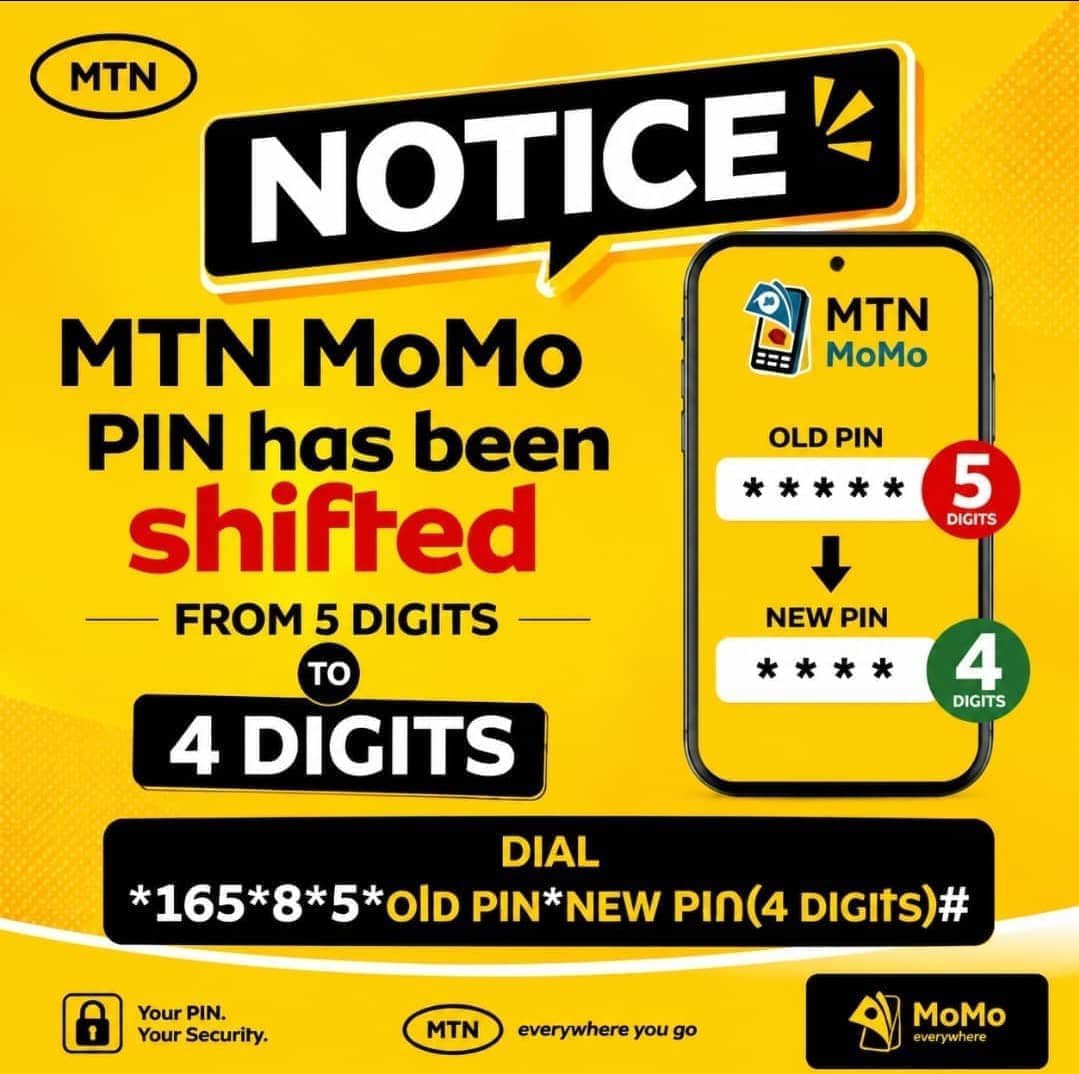
KAMPALA — MTN Uganda has officially confirmed that it is transitioning its Mobile Money (MoMo) PIN standard from the traditional 5-digit format to 4 digits.
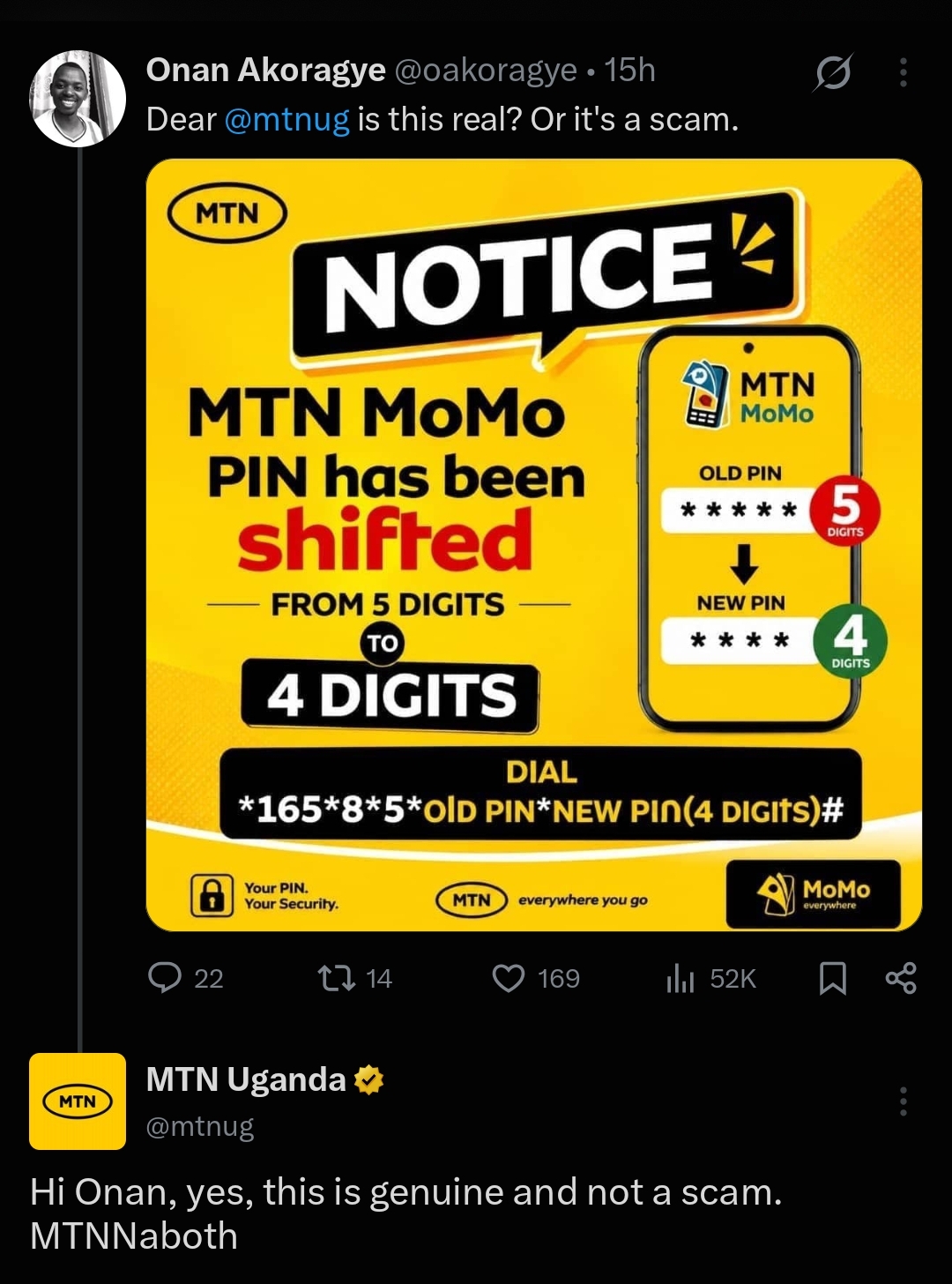
The confirmation follows days of widespread curiosity on social media, where subscribers shared digital notices detailing the new 4-digit PIN change process and questioning whether the shift was an official security update or a scam. In response to public inquiries on X (formerly Twitter), official MTN customer support representatives verified that the initiative is genuine and actively rolling out across the network.
Is MTN Uganda changing Mobile Money PINs from 5 digits to 4 digits?
Yes, MTN Uganda is actively transitioning all Mobile Money (MoMo) PINs from 5 digits to 4 digits. The telecom giant confirmed that the shift represents a system-wide update aimed at harmonizing user authentication across digital and mobile platforms.
While many subscribers initially suspected scam activity after encountering viral promotional flyers, MTN customer care agents on social media publicly clarified that the update is completely official. Subscribers who initiate a PIN change or perform a self-service reset are now automatically directed to set a 4-digit code instead of the older 5-digit combination.
Who is affected by the new 4-digit MTN MoMo PIN update?
The transition to a 4-digit PIN primarily affects new subscribers and existing users who choose to update or reset their security details.
According to official guidance from MTN Uganda, the roll-out applies to specific customer categories:
- New Mobile Money Registrations: Any subscriber activating a new SIM card or registering for MTN MoMo for the first time will automatically be required to create a 4-digit PIN.
- PIN Resets and Changes: Existing customers who forget their PIN or voluntarily choose to update their security settings will be migrated to the 4-digit format.
- Active 5-Digit PIN Users: Customers currently using a 5-digit PIN can continue using their existing code without immediate interruption until they are prompted by the system or decide to change it.
MTN has further cautioned that once a user successfully transitions to a 4-digit PIN, the system will not allow them to revert to a 5-digit code.
How do you change your MTN MoMo PIN to 4 digits using USSD?
Subscribers who wish to update their Mobile Money PIN directly from their phones can complete the process using official USSD codes.
The fastest direct USSD string provided in the official notices is:
$$\text{*165*8*5*OLD PIN*NEW PIN(4 DIGITS)\#}$$
Alternatively, customers can navigate through the standard menu by taking the following steps:
- Dial *165# on your MTN line.
- Select My Account.
- Choose Change PIN or PIN Reset.
- Enter your current 5-digit PIN.
- Enter and confirm your new 4-digit PIN.
Subscribers can also execute PIN changes through the official MyMTN App or the MTN MoMo App under account security settings.
Is the 4-digit MTN MoMo PIN secure?
Yes, the new 4-digit PIN system incorporates updated security protocols designed to prevent easy guessing and brute-force access.
To enhance account protection, MTN’s security architecture actively blocks weak or predictable numerical combinations. The system automatically rejects sequential or repeating numbers—such as 0000, 1111, or 1234—forcing users to choose a more secure, randomized 4-digit key. Subscribers are strongly advised to avoid using birth years, publicly known personal dates, or simple patterns when creating their new PIN.
How to Change Your MTN Mobile Money PIN