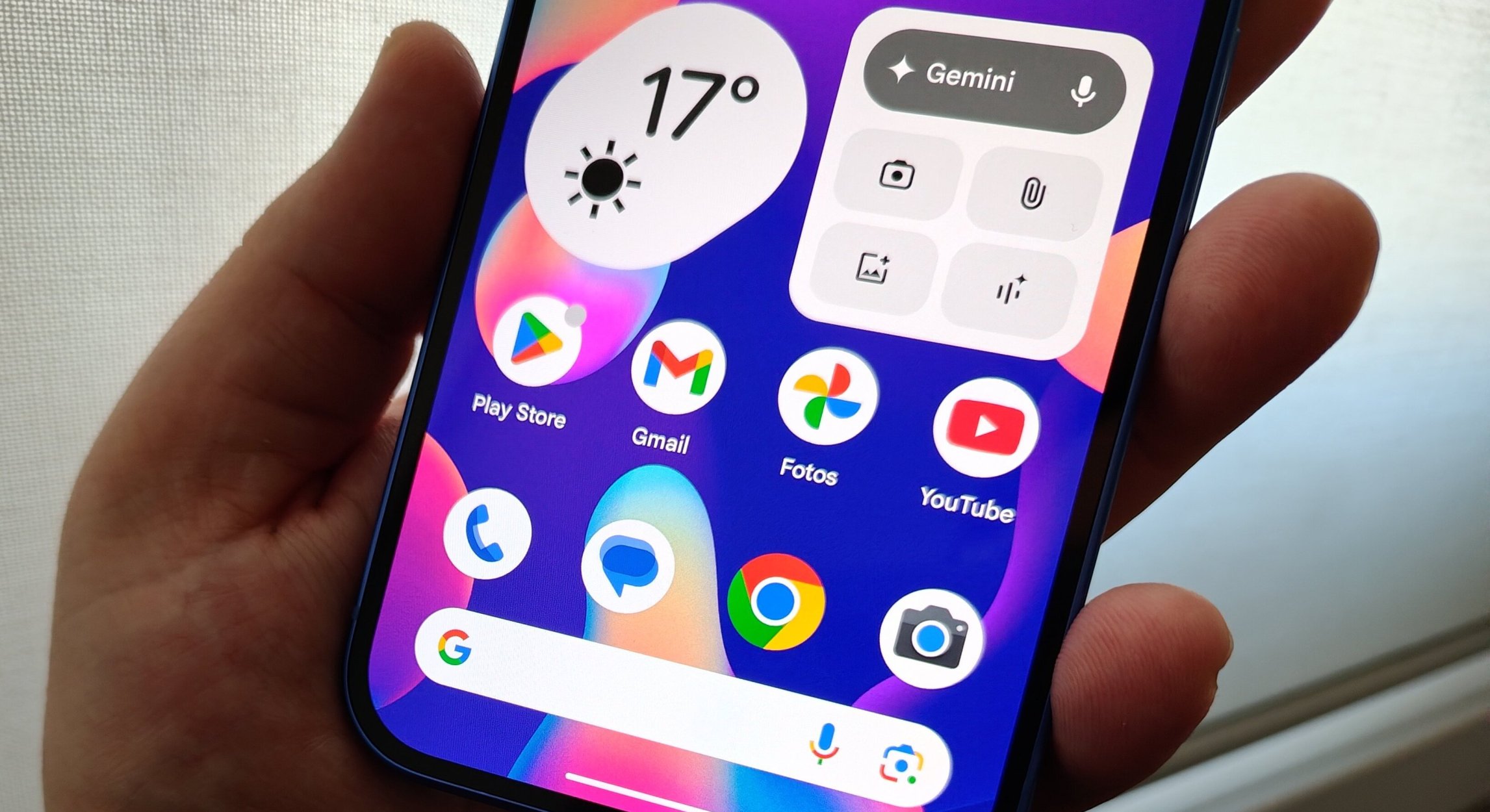

Table of Contents
When is the official release date for the stable version of Android 17?
Following the structural timeline tracking from Google’s engineering desks, the stable rollout of Android 17 is officially slated to hit Google Pixel devices first this summer, commencing in June 2026. The operating system achieved formal “Platform Stability” with the deployment of Beta 3 on March 26, 2026, followed quickly by the final scheduled Beta 4 on April 16, which locked in final API behaviors for global app developers.
For public-facing marketing and retail branding, Google has discarded traditional dessert titles, meaning the update will be deployed simply as “Android 17”. However, code leaks confirm that engineers are still internally using the nostalgic, sugar-coated code name “Cinnamon Bun” to reference the core architecture during internal development cycles.
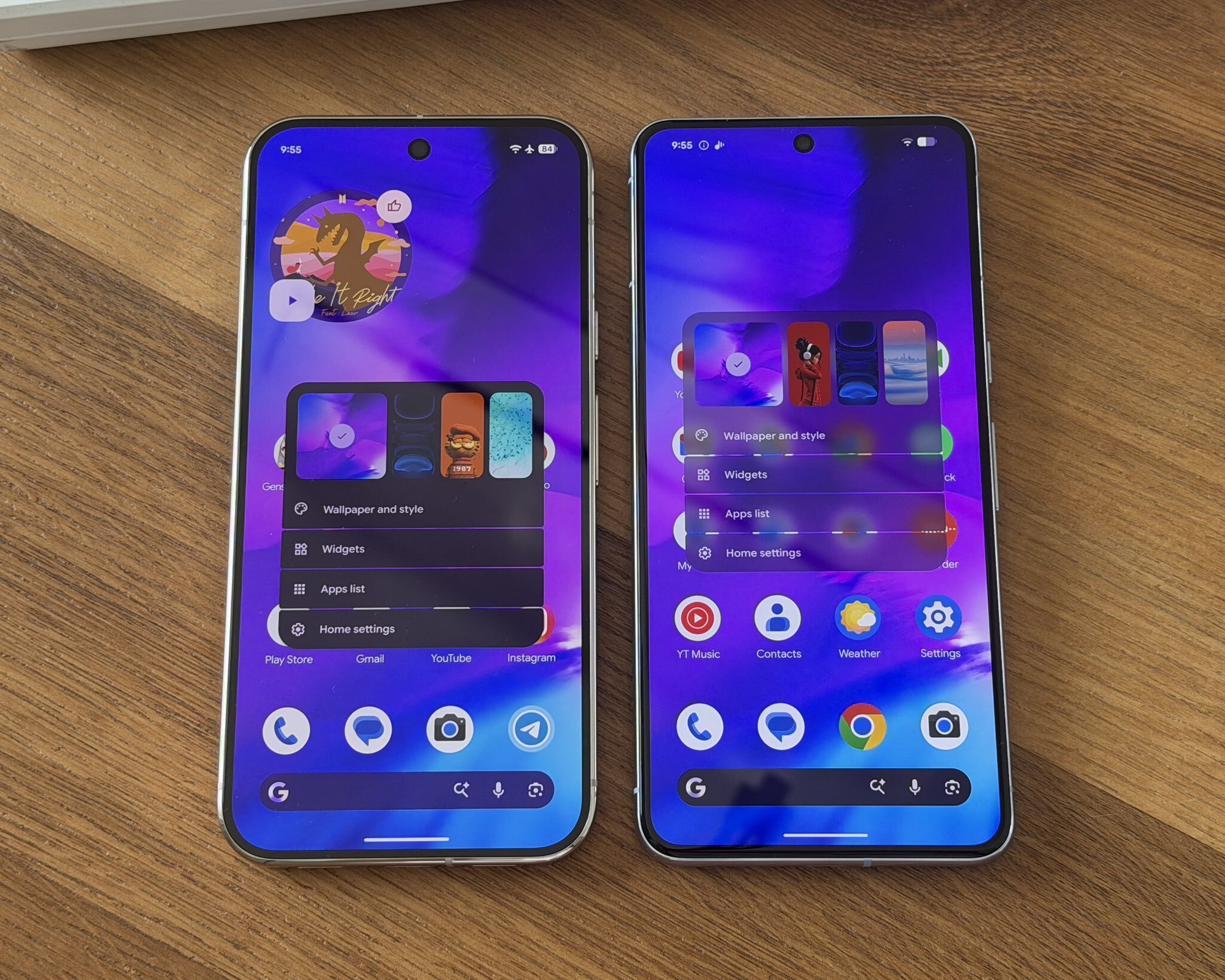
When will Samsung, Xiaomi, and Redmi flagships receive the Android 17 update?
Because Google operates as an open-source baseline, alternative smartphone manufacturers have already begun deploying tailored beta platforms across their product lines. The rollout matrix for non-Google hardware varies heavily depending on custom user interface skins:
- Xiaomi, Redmi, & POCO Ecosystems: Xiaomi officially bypassed intermediate software versions to launch its Android 17 Developer Preview on HyperOS 3.3 on April 30, 2026. While current testing is limited to top-tier global flagships, the bulk of consumer-facing devices—including the Redmi 13 series—will receive their structural Android 17 upgrades via the next-generation HyperOS 4 platform, which is scheduled for a wide consumer rollout spanning from late Q4 2026 through early 2027.
- The Samsung One UI 9 Timeline: Samsung’s early beta builds are already live for the Galaxy S26 lineup. The stable public release of One UI 9 is expected to launch alongside the official debut of the Galaxy Z Fold 8 and Z Flip 8 foldables at Samsung’s unpacked event on July 22, 2026. Following this, retrospective updates will cascade down to Galaxy flagships released from 2023 onwards (Galaxy S23 and later).
- BBK Electronics (OnePlus & OPPO): Both brands launched their joint Android 17 Beta 2 builds back in late March. The polished, stable releases of OxygenOS 17 and ColorOS 17 are slated to drop systematically in early Q4 2026, headlining the launch of their upcoming flagship product lines.
The global mobile ecosystem has just experienced its most disruptive shift in a generation. Google has officially pulled back the curtain on its highly anticipated 2026 keynote presentation, unveiling Android 17 in what tech analysts and platform reviewers are calling an absolute, unadulterated hype fest. For the past several years, consumers and tech enthusiasts have expressed growing skepticism toward smartphone AI, frequently dismissing features as unpolished gimmicks designed to drive upgrade cycles rather than deliver practical utility. Android 17 permanently shatters that narrative.
By bypassing basic cloud-assisted shortcuts to introduce an entirely autonomous system layer known as Gemini Intelligence, Google has fundamentally altered the paradigm of human-computer interaction. Whether a user is holding an elite, multi-million shilling international flagship or an affordable mid-range device, the foundational operating system now operates with an unprecedented level of human-like contextual awareness. This comprehensive architectural review unpacks every technical feature, systemic upgrade, and ecosystem announcement delivered in this historic update.
What is Gemini Intelligence and how does the Rambler tool work in Android 17?
At the absolute center of the Android 17 ecosystem lies Gemini Intelligence, a deeply embedded, system-level autonomous layer that completely replaces legacy predictive text and basic voice assistants. The most immediately disruptive manifestation of this technology is a revolutionary voice dictation architecture code-named Rambler.
Historically, utilizing voice-to-text functionality required users to speak with artificial clarity, maintaining a linear stream of thought to avoid confusing the underlying software. The Rambler tool completely discards this technical limitation by acting as a real-time brain filter for human speech. When a user activates dictation, they can stutter, pause, cough, repeat themselves, stumble over complex vocabulary, or trail off into completely irrelevant streams of consciousness.
The underlying AI engine actively listens to the chaotic acoustic input, maps the user’s true underlying intent, strips away every ounce of dead weight and filler phrasing, and instantaneously outputs a perfectly polished, flawless paragraph. The execution is terrifyingly accurate, operating in real-time directly on the device’s neural processing hardware.
Visually, activating this next-generation dictation experience triggers an immersive, glowing neon boundary across the edge of the smartphone interface known as the Pixel Glow. Within this boundary, users are provided with a clean, minimalist Rambler slider interface, allowing them to dynamically dial the intensity of the linguistic filtration up or down depending on whether they require a verbatim transcript or a highly condensed, professional summary of their spoken thoughts.
How does the new Android 17 Autofill handle broken and poorly optimized websites?
Every smartphone user has encountered the extreme frustration of navigating poorly optimized, broken third-party websites or legacy e-commerce checkouts where native mobile browsers utterly fail to parse form fields. In older operating systems, standard autofill prompts routinely misidentify input boxes, forcing users to manually copy and paste their shipping addresses, credentials, or financial data. Android 17 resolves this systemic bottleneck by upgrading the platform’s autofill infrastructure into a visually aware parsing engine.
Rather than relying purely on static HTML metadata tags embedded within a webpage’s code, Gemini Intelligence uses on-device computer vision to read the entire visual layout of the page exactly like human eyes would. The system maps out the spatial context of the screen, identifying exactly what information a form requires regardless of how broken the website’s underlying code is.
Furthermore, this advanced system securely maps and matches deeply complex stored data tiers—including sensitive identification metrics like passport numbers, tax registration digits, or multi-layered corporate credentials—and populates the fields instantly. This visual approach effectively eliminates form-filling errors, streamlining mobile web navigation into a frictionless, single-swipe confirmation process.
What are screen-aware AI agents and can they automate third-party app actions?
One of the most futuristic leaps forward introduced in Android 17 is the deployment of true Screen-Aware AI Agents. Legacy mobile assistants have long been restricted to executing simple voice commands within native Google applications, requiring manual user intervention the moment a workflow crossed over into a third-party app. Android 17 completely removes these software silos.
For example, if a user receives a digital event flyer or an image-based invitation within a messaging app, they can instantly trigger the voice assistant and issue a complex, abstract command such as, “Book me a parking space for this.”
Without requiring a single manual touch or application switch from the user, the screen-aware agent visually scans the digital flyer, extracts the precise geographical address, determines the exact dates and event times, and launches the appropriate third-party parking application in the background. The AI agent then autonomously inputs the required parameters, searches for and isolates an open parking slot within the vicinity, and brings the user directly to the final checkout screen with the transaction fully prepared.
To supplement this automated cross-app routing, Android 17 introduces an automatic widget generation engine. Based entirely on the real-time context of what is being displayed on the screen, Gemini can instantly construct customized map layouts, interactive timelines, or media control panels on the fly, presenting them as floating widgets that streamline complex personal logistics.
Also read about how Apple chose Google Gemini
Is the Android 17 camera update finally fixing Instagram upload quality?
For nearly a decade, a massive point of contention between the Android and iOS ecosystems has centered on social media content creation. Even when an Android flagship possessed vastly superior camera hardware compared to its Apple counterparts, uploading a video or photo directly through third-party platforms like Instagram resulted in severe compression artifacts, frame drops, and washed-out colors. This occurred because social media apps traditionally relied on basic screen-recording methods within their in-app viewfinders rather than utilizing native camera drivers.
With Android 17, Google has finally forced a monumental, deep architectural integration that permanently kills the iPhone quality parity gap. The new operating system bypasses third-party software restrictions to pass full, raw camera processing hardware capabilities directly into third-party application viewfinders.
When a creator captures content inside Instagram or TikTok, the application now natively utilizes the device’s actual optical image stabilization (OIS), advanced Ultra-HDR rendering pipelines, and proprietary low-light Night Sight algorithms. The result is an instantaneous optimization of media quality, delivering cinematic, studio-grade video uploads that ensure Android hardware is fully maximized across the global creator economy.
How does the new native screen-reaction mode work in Android 17?
To further empower the modern digital creator demographic, Android 17 introduces an innovative Native Reaction Mode built directly into the core user interface. In older operating systems, creating a reaction video or a commentary short required users to screen-record content, export the file to a desktop or high-end editing app, shoot separate face-camera footage, and manually sync the layers in post-production.
Android 17 streamlines this entire production pipeline into a single-tap utility accessible directly from the system notification shade. When a user encounters a viral video stream, a live news broadcast, or a gaming clip they wish to commentate on, they can instantly trigger the reaction tool.
The system immediately overlays a sleek, floating picture-in-picture circle displaying the user’s front-facing camera and activating the device microphone. As the underlying content plays, the system captures both the on-screen media feed and the creator’s real-time physical expressions simultaneously, outputting a perfectly synchronized, high-definition reaction video ready for immediate social distribution without requiring any external editing software.
What is Pausepoint and how does it stop social media doom-scrolling?
As digital attention economies become increasingly aggressive, software-level wellness features have moved from an afterthought to a core psychological necessity. Recognizing that standard app timers are incredibly easy for users to dismiss or ignore, Google has introduced a highly assertive digital wellness architecture called Pausepoint.
The technical premise behind Pausepoint is to intercept subconscious, habit-driven behaviors. If the operating system’s background analytics detect that a user is repeatedly closing and immediately re-opening distracting social media platforms like TikTok or Instagram out of pure muscle memory—a phenomenon widely known as doom-scrolling—Pausepoint actively steps in to break the psychological loop.
Instead of allowing the app to launch, the system temporarily blocks the interface, shifting the entire display into a calming, meditative blue hue. A giant, un-skippable countdown clock overlay appears on the screen, forcing a mandatory ten-second breathing space. By creating an intentional friction point in moments of unconscious consumption, Pausepoint breaks the dopamine feedback loop, forcing the human brain to take a conscious step back and evaluate whether they actually want to dedicate the next several hours to endless scrolling.
What are the new features in the 2026 Android Auto overhaul?
The automotive projection ecosystem has received its most sweeping structural upgrade since its initial inception. Under Android 17, Android Auto transitions from a basic, passive secondary display mirror into a highly intelligent, proactive computing hub powered by system-level Gemini integration.
The primary navigation engine has been completely overhauled to render fully immersive, 3D wireframe buildings and highly texturized topography in real-time. By providing hyper-detailed visual contexts of complex metropolitan highway junctions, multi-layered overpasses, and confusing city exits, the system effectively eliminates dangerous lane errors and last-minute navigation corrections.
Beyond defensive driving enhancements, Google has addressed in-car entertainment during stationary periods. For drivers waiting at high-capacity electric vehicle charging stations or stuck in extended pickup lines, Android Auto has officially unlocked native support for 1080p high-definition video streaming platforms directly onto the vehicle’s primary center console screen. To maintain strict safety parameters, this high-definition video engine is hardcoded to activate exclusively when the vehicle’s park indicator is lit on the cluster, transforming transit downtime into a premium entertainment experience.
What is the Google Book laptop and how does it integrate with Android 17?
In a stunning “one more thing” surprise announcement that concluded the 2026 keynote, Google officially announced its entry into a brand-new ecosystem computing hardware tier: The Google Book. Rather than attempting to compete in traditional, raw hardware benchmark processing battles with established laptop manufacturers, Google has engineered an ultra-thin, metallic laptop sporting a minimal Google logo that is built from the ground up exclusively for AI-assisted physical workflows.
The Google Book introduces a unique “waggle-to-activate” smart AI cursor. When a user performs a distinct physical waggle gesture over the laptop’s high-precision trackpad, the cursor illuminates into a contextual lens that automatically tracks, synthesizes, and analyzes data across all locally open files, documents, and web tabs.
More importantly, the integration between the Google Book and an Android 17 smartphone represents the absolute pinnacle of cross-device harmony. The moment the user’s phone is brought into physical proximity with the laptop, the entire smartphone storage layer mounts automatically as a native local hard drive on the computer interface. With zero pairing delay, zero Bluetooth troubleshooting, and no reliance on cloud uploads, files and folders appear instantly as if the user is operating a single, cohesive computer split across two distinct screens.
What is Google’s ‘Aluminium OS’ desktop mode and how does it merge Chrome OS?
The most profound ecosystem revolution hidden inside the Android 17 master code is the official birth of Aluminium OS. For years, industry insiders reported on a highly secretive engineering project inside Google aimed at completely merging the desktop capabilities of Chrome OS into the core Android kernel. In 2026, that merger is fully live. Android 17 expands far beyond mobile slabs, operating as an “Everything OS” built to scale natively onto laptops and desktop monitors.
When an Android 17 device is connected to a secondary screen, it no longer projects a primitive, stretched-out phone interface. Instead, Aluminium OS deploys a fully realized, desktop-grade windowing environment complete with an active taskbar, advanced window snapping, desktop-ready application states, and a taskbar overflow carousel that lets you easily manage dozens of open apps. Backed by a universal cursor toggle, a single mouse and keyboard can now flow smoothly between a phone, a tablet, and an external display without a single millisecond of layout friction.
What are the new session-based location and contact picker privacy upgrades?
Google has utilized the Android 17 framework to aggressively patch long-standing privacy vulnerabilities that data-brokers routinely exploit to track users. This is executed through two massive upgrades:
- Session-Based Precise Location Button: Historically, granting location access to an app was an all-or-nothing affair—either you blocked it entirely or allowed it to constantly pull data in the background. Android 17 introduces a dedicated, one-time precise location button. This grants an app micro-window clearance to pinpoint your exact coordinates exclusively for a single task while the app is open. The moment the active task is resolved, the permission is instantly revoked, completely cutting off passive tracking.
- The System-Level Contacts Picker: In the past, if a delivery or social media app wanted you to invite a single friend, it forced you to grant wide, sweeping access to your entire address book. Android 17 introduces an intentional, field-level consent tool. Users can now select the exact, isolated contact information they want to share, specifying precise fields (such as only sharing a phone number while completely hiding the contact’s email address or home location).
How do default theft protections and biometric Find Hub locks safeguard data?
To combat the global rise of physical smartphone snatching, Android 17 is expanding its advanced, AI-driven physical security systems to a default-on model globally. Freshly unboxed or newly upgraded Android 17 devices will ship with Remote Lock and Theft Detection Lock enabled out of the gate. Utilizing on-device motion sensors and specialized machine learning algorithms, the phone can instantly detect the exact physical kinetic signature of a thief snatching the device from a user’s hand and sprinting away on foot or a motorcycle, immediately executing a hard lockdown of the system before the criminal can access open apps.
Furthermore, Google has heavily upgraded the Find Hub’s “Mark as Lost” tracking feature. If a thief manages to physically peer over a user’s shoulder and memorize their numeric lock screen PIN or passcode, they are still completely blocked from compromising the device’s tracking infrastructure. Triggering “Mark as Lost” now mandates a strict biometric authentication lock. Without the user’s actual fingerprint or facial scan, a thief is physically barred from disabling device tracking, turning off location services, hiding Quick Settings, or attempting to establish new Wi-Fi and Bluetooth connections to mask the stolen hardware.
What hidden Gboard tweaks, media player overhauls, and memory limits were added?
Digging into the minor user interface updates hidden deep within the Android 17 developer documentation reveals several highly requested modifications built for power-user optimization:
- The Gboard Globe Removal: Code buried inside Android 17 QPR builds has finally answered a long-standing user interface complaint by allowing users to completely disable the legacy globe icon from Gboard. Instead of taking up valuable keyboard real estate, users can now transition seamlessly between multilingual layouts by simply swiping across the space bar.
- The Notification Media App Switcher Overhaul: The notification shade has discarded its old left-to-right sliding media carousel. In Android 17, secondary active audio applications are automatically minimized into tiny, highly obvious cards that expand instantly when tapped. This design minimizes accidental touches and allows users to shift audio routing on the fly across multiple media platforms with absolute clarity.
- App Memory Baselines & Performance Hardening: To ensure the operating system maintains fluid frame rates, Android 17 introduces strict, conservative App Memory Limits linked directly to the device’s physical RAM capacity. The moment a third-party app experiences a severe memory leak, an on-device anomaly detection engine triggers a warning and dumps a specific heap profile to developers before the app can cause system-wide UI stuttering or battery drain.
- Post-Quantum Cryptography (PQC): For true future-proofing, the Android Keystore layer adds native hardware support for NIST-standardized ML-DSA algorithms. This structural cryptographic shield ensures that the private data, banking details, and biometric signatures stored on your device remain entirely secure against future quantum-computing exploitation.
- Vibe Coding Custom Widgets: Leveraging system-level Gemini integration, users can now literally “vibe code” custom home screen widgets on the fly. By typing a descriptive prompt into the system interface, the AI will automatically generate and deploy a functional, deeply personalized Material Expressive design widget tailored specifically to the user’s technical requirements.
Where is the Samsung One UI 9 Beta live and what flagships are supported?
The global evaluation pipeline for Samsung’s highly anticipated Android 17 skin is expanding across critical international markets. Initially restricted to developers and early closed-group testers within South Korea, Germany, the United Kingdom, and select European Union nations, the One UI 9 Beta program has officially launched across India. Functioning as a comprehensive software overlay designed to optimize complex graphics processing, refine system-level menu elements, and stabilize foundational kernel parameters, the rollout marks the final testing phase before global stable distribution commences.
The initial Beta 1 release is available specifically for the elite flagship Samsung Galaxy S26, Galaxy S26+, and Galaxy S26 Ultra mobile phones. This massive installation file requires a download of over 3.7 GB of data and bears the official firmware designation S94xBXXU2ZZEQ. In a fascinating forward-looking compliance move, the packages are fully integrated with the upcoming official Android security patch level dated June 5, 2026.
Simultaneously, the software testing architecture has shifted gears in South Korea and the United Kingdom, where Samsung has formally deployed the One UI 9 Beta 2 update phase. This secondary deployment represents a tightly consolidated 1.6 GB payload file carrying the identical June 5, 2026 security patch baseline, deployed exclusively to iron out catastrophic system anomalies flagged by early audiences.
What major software bugs are fixed in the Samsung One UI 9 Beta 2 build?
The engineering desk at Samsung has explicitly cataloged the underlying technical fixes integrated into the latest Beta 2 assembly. The update targets six distinct operational vulnerabilities within the Galaxy S26 processing framework:
- GPUWatch Panel Crashing: Completely resolves the systemic blocking issue affecting the native GPUWatch activity tracking panel, permanently correcting the intrusive pop-up notification freezes.
- Routine Automation Fixes: Full operational stability has been successfully restored to the core execution scripts and default scenarios within the integrated Bixby / Modes & Routines application tool.
- Status Bar Render Distortions: Rectifies the visual artifacting and content display alignment errors previously witnessed across the primary system status bar layer.
- LockStar Font Incompatibility: Fixes an annoying lock screen personalization glitch where custom font profiles applied to the system clock became permanently locked and unalterable after installing the advanced LockStar personalization panel.
- Notification Processing Latency: Drastically reduces system latency and micro-stuttering during bulk formatting commands and mass uninstallation routines of system-level notification alerts.
- Clock Vertical Alignment Tweak: Corrects a distinct, aesthetically frustrating physical layout bug that caused the lock screen clock interface to shift downward vertically across the display canvas.
- Game Booster Access Path Restoration: Safely repairs a deep-seated software path loop error that routinely crashed the internal menu options when users attempted to enter the specialized Game Booster gaming suite.
Despite the highly polished nature of the Galaxy S26 family’s graphics solutions, tech analysts urge extreme operational caution. Because early revisions of mobile shells are vulnerable to force majeure anomalies and unexpected system crashes, installing the beta onto a primary or lone daily driver smartphone is highly discouraged. Users who understand the risks can verify availability by navigating directly through Settings > Software update.
Which Samsung phone models are officially eligible for the Android 17 update?
When the stable version of Android 17 drops alongside the Google Pixel 6 line and newer models this summer, Samsung’s custom One UI 9 distribution will roll out in distinct, carefully prioritized regional phases. Because the Korean tech giant links its update cycles to hardware-dependent lifecycle support frameworks spanning between three to seven years, older or legacy handsets are systematically reaching the end of their lifecycles. For example, the Galaxy S23 series (released in 2023) will receive Android 17, but because those devices are bound to a strict four-year major OS upgrade limitation, this update officially represents the definitive end of their primary update roadmaps. Conversely, the newer Galaxy S26 series (launched in late February 2026) commands a full seven-year major OS support guarantee, ensuring protection deep into the next decade.
The definitive index of Samsung Galaxy smartphones officially qualified to receive the Android 17 (One UI 9) upgrade has been formalized across premium flagship, foldable, mid-range, and rugged enterprise tiers:
Premium Flagship and Foldable Device Matrices
- The Galaxy S26 Infrastructure: Galaxy S26 Ultra, Galaxy S26 Plus, and the base Galaxy S26.
- The Galaxy S25 Framework: Galaxy S25 Ultra, Galaxy S25 Plus, Galaxy S25, Galaxy S25 Edge, and the Galaxy S25 FE.
- The Galaxy S24 Tier: Galaxy S24 Ultra, Galaxy S24 Plus, Galaxy S24, and the Galaxy S24 FE.
- The Galaxy S23 Legacy Tier: Galaxy S23 Ultra, Galaxy S23 Plus, Galaxy S23, and the Galaxy S23 FE.
- The Next-Gen Foldable Portfolio: The premium multi-display Galaxy Z TriFold.
- The Galaxy Z Fold & Z Flip Collections: Galaxy Z Fold 7, Galaxy Z Fold 6, Galaxy Z Fold 5, Galaxy Z Fold Special Edition, alongside the Galaxy Z Flip 7, Galaxy Z Flip 7 FE, Galaxy Z Flip 6, and Galaxy Z Flip 5.
Mid-Range and Entry-Level Mobile Sub-Tiers
- The Highly Popular Galaxy A Series: A57 5G, A56 5G, A55 5G, A54 5G, A37 5G, A36 5G, A35 5G, A34 5G, A26 5G, A25 5G, A24, A17 5G, A17 4G, A16 5G, A16 4G, A15 5G, A15 4G, A07 5G, A07 4G, and the entry-level Galaxy A06 5G.
- The High-Capacity Galaxy M Series: M56 5G, M55s 5G, M55 5G, M54 5G, M36 5G, M34 5G, M17 5G, M17e 5G, M16 5G, M15 5G, M07, and the Galaxy M06 5G.
- The Region-Specific Galaxy F Series: F70e 5G, F56 5G, F55 5G, F54 5G, F36 5G, F34 5G, F17 5G, F16 5G, F15 5G, F07 5G, and the Galaxy F06 5G.
- The Rugged Enterprise Galaxy XCover Series: XCover 7 Pro, XCover 7, and the heavy-duty XCover 6 Pro.
What is the difference between Android 16 and Android 17?
The generational transition from Android 16 (2025’s “Baklava”) to Android 17 (2026’s “Cinnamon Bun”) marks a total shift in software design philosophy. While Android 16 focused on refining the look of the Material You interface, cooling down notification spam, and standardizing app bubbles on larger foldable screens, it remained entirely reactive. You had to open an app or prompt a tool to get things done.
Android 17 completely discards this legacy approach by transforming the operating system into a proactive, system-level automation environment. Google has stopped treating your smartphone as a collection of separate application icons; instead, it operates as a single, context-aware digital workstation where the background kernel anticipates your workflows before you manually execute them.
How does Gemini Intelligence in Android 17 compare to Android 16’s AI features?
In Android 16, Google Gemini functioned fundamentally as a glorified application overlay. It stepped in to replace the classic Google Assistant, allowing you to ask questions, summarize text documents, or generate text replies, but its operations were strictly confined within isolated software silos. If you needed to move data between apps, you still had to do the heavy lifting of copying, pasting, and navigating menus yourself.
Android 17 completely eliminates these barriers by weaving Gemini Intelligence straight into the core system layer. The operating system now has complete, real-time visual screen awareness and cross-app authorization. Instead of just pulling up search links like Android 16, Android 17’s screen-aware agents can actively read an image or document on your screen, launch the appropriate third-party applications in the background, fill out input forms, and prep complete transactions independently.
Furthermore, voice processing has advanced; while Android 16 required clear, calculated speech to dictate text accurately, Android 17’s Rambler feature uses advanced audio filtration to instantly strip out stutters, coughs, and filler words, outputting a perfectly polished sentence.
Is Aluminium OS in Android 17 better than Android 16’s desktop mode?
Desktop convergence under Android 16 was treated as an experimental utility hidden away in developer options. It was a primitive projection mechanism that simply stretched mobile app layouts onto external monitors, resulting in distorted aspect ratios, a total lack of keyboard-shortcut mapping, and severe latency that made actual production workflows impossible.
Android 17 permanently unifies mobile and desktop computing with the introduction of Aluminium OS. This is not a modified phone interface; it is a full, native desktop kernel that completely merges the stable desktop-grade capabilities of Chrome OS into Android.
When you connect an Android 17 device to an external screen, it deploys an advanced windowing environment complete with an active taskbar, a taskbar overflow carousel to manage dozens of apps, and advanced window snapping. Combined with the Google Book laptop proximity integration, the phone’s file structure mounts as a native hard drive instantly, bypassing the messy cloud-syncing workarounds required by Android 16.
How does the Android 17 camera update compare to Android 16 for Instagram quality?
For content creators, Android 16 maintained a highly frustrating status quo. Because third-party apps like Instagram and TikTok were blocked from accessing the phone’s native camera drivers, they relied on basic screen-recording protocols within their in-app viewfinders. This caused direct video uploads from premium Android flagships to suffer from brutal compression, washed-out colors, and dropped frames.
Android 17 resolves this decade-long media bottleneck by forcing a mandatory hardware passthrough architecture across the entire app ecosystem. Unlike Android 16, third-party social applications are now granted direct, uncompressed access to the device’s actual raw processing hardware.
When you shoot video inside Instagram or TikTok on Android 17, the app natively utilizes your phone’s physical optical image stabilization (OIS), Ultra-HDR rendering pipelines, and proprietary Night Sight algorithms. This completely eliminates the quality parity gap with the iPhone and is further supercharged by a native Notification Shade Reaction Mode that lets you shoot perfectly synced picture-in-picture commentary videos instantly.
How does Pausepoint in Android 17 improve digital wellness over Android 16?
Digital wellness under Android 16 relied on a passive philosophy. The legacy Digital Wellbeing hub tracked your screen hours, generated usage graphs, and allowed you to set basic app timers that were incredibly easy to extend or ignore with a single tap. This passive design did nothing to stop unconscious muscle-memory behaviors, leaving users trapped in addictive loops of doom-scrolling.
Android 17 addresses attention engineering aggressively with a behavioral intervention architecture called Pausepoint. Instead of waiting for you to exhaust a daily time limit, the OS monitors your app opening frequencies in the background.
If Pausepoint catches you closing and immediately re-opening a distracting social media app out of pure habit, it actively blocks the launch. The screen shifts to a calming blue hue and forces an unskippable 10-second countdown breathing space. This introduces real cognitive friction directly into your dopamine feedback loop, breaking the unconscious habit before you waste hours scrolling.
Architectural Core: Under-The-Hood Technical Comparison
| Technical Pillar | Android 16 (“Baklava”) Baseline | Android 17 (“Cinnamon Bun”) Evolution |
| Anti-Theft Security | Manual configuration required for basic remote lock tools. | Theft Detection Lock and Remote Lock are enabled by default globally out of the box. |
| Device Tracking Lock | Location and tracking services could be turned off by thieves using basic lock screen numeric PINs. | Find Hub “Mark as Lost” settings mandate a strict Biometric Authentication Lock, neutralizing shoulder-surfed PINs. |
| Cryptographic Shield | Standard enterprise-grade encryption profiles vulnerable to evolving decryption tech. | Native hardware integration of NIST-standardized ML-DSA algorithms for absolute Post-Quantum Cryptography (PQC). |
| Location Tracking Privacy | App access restricted to generic “While Using App” or “Always Allow” binary choices. | Introduction of a Session-Based Precise Location Button that instantly revokes coordinates the moment a task finishes. |
| Contact Sheet Protection | Third-party apps demanded reading rights to your entire local address book data file. | Field-level System Contacts Picker allowing users to isolate and share specific details (e.g., hiding emails while sharing numbers). |
| System RAM Management | Basic background app killing based on generalized memory thresholds. | Real-time App Memory Baselines that catch memory leaks early and dump heap profiles to developers before UI stutter occurs. |
| Keyboard Interface | Gboard layout featured a permanent globe icon that restricted spacebar tracking width. | Full option to completely remove the Gboard Globe Icon, moving layout switching to clean spacebar swipe gestures. |
| Home Screen Customization | Static, pre-designed widgets matching basic Material You color palettes. | Ability to literally “vibe code” custom widgets on the fly by typing a descriptive text prompt into the system AI. |