This is the end of the “four-color line” era! Google is officially rolling out a radical visual overhaul across its entire Workspace ecosystem. You will soon see these changes on your phone and your computer. For the first time since 2020, the tech giant is abandoning the hollow, multi-colored geometric outlines that defined its productivity suite in favor of a lush, gradient-heavy aesthetic.
The source of this information is the 925 Google blog
This is not just a coat of paint; it is a fundamental shift in how the tech giant wants users to perceive its tools in an age increasingly dominated by artificial intelligence. From a “skeuomorphic” return for Calendar to a surprising color shift for Meet, here is a deep analysis of the changes coming to your home screen.
Why is Google moving away from its four-color geometric lines?
To understand the 2026 redesign, we must look back at the 2020 update. When Google first introduced the unified four-color icons (Blue, Red, Yellow, and Green), the goal was “cohesion.” However, the result was a usability nightmare for many. Because every icon shared the same four colors and similar hollow shapes, they became notoriously difficult to distinguish at a glance in a crowded browser tab or taskbar.
The 2026 “Gradient Era” is a direct response to this criticism. Google is prioritizing distinctiveness by allowing each app to reclaim a “hero” color. While the four-color palette still exists within the ecosystem, the “mandate” to cram all four into every single icon is gone. This shift makes the icons more unique in shape and more saturated in color, allowing the human eye to categorize them faster.
How does the new “Gemini Gradient” define the visual language?
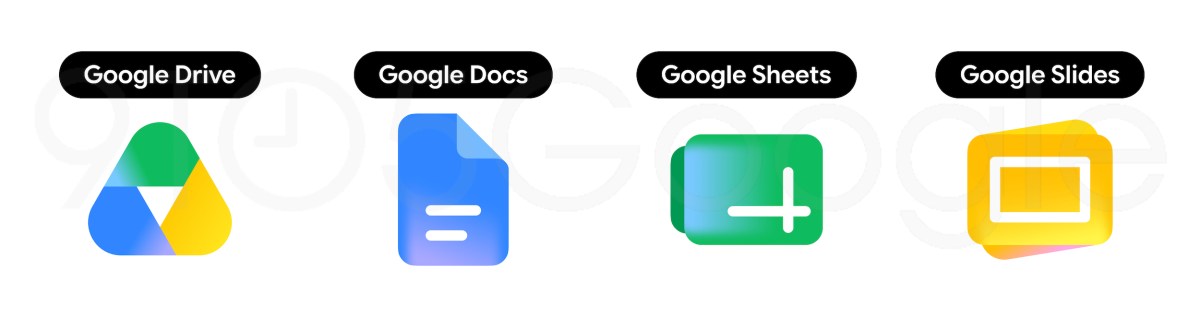
The most striking technical change is the “Gemini Gradient.” If you look closely at the new icons for Gmail, Drive, or the Google “G” itself, you’ll notice that colors no longer sit in flat, isolated blocks. Instead, they bleed into one another with a vibrant, luminous glow.
This visual language was first introduced with the Gemini AI app and the refreshed Google Search icon. By expanding this to Workspace, the tech giant is signaling that AI is no longer a “plugin” or an “add-on” but is baked into the core of every document, email, and meeting. The gradient represents “fluidity” and “intelligence,” moving away from the rigid, static lines of the past.
Is the Gmail icon finally easier to find?
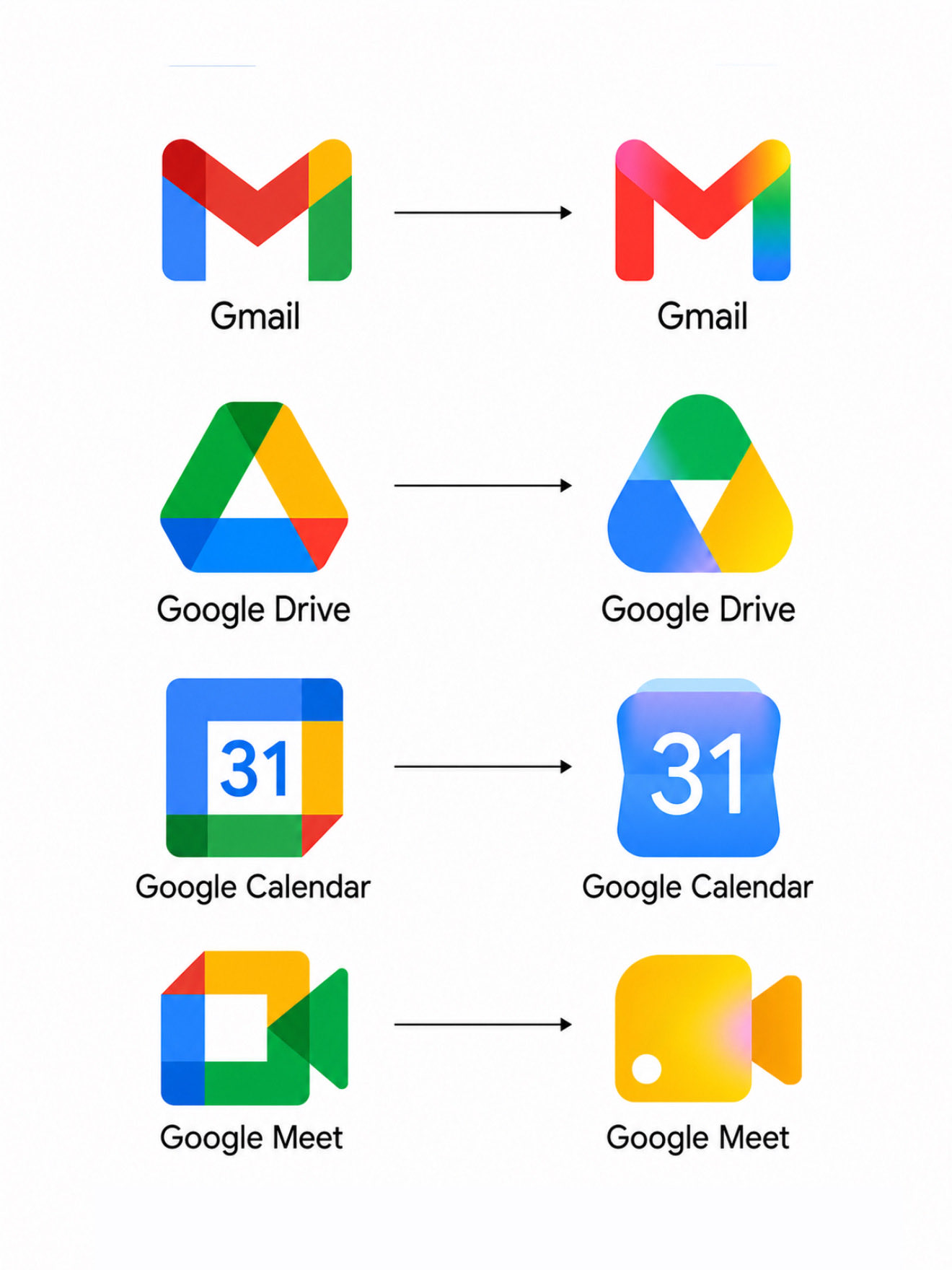
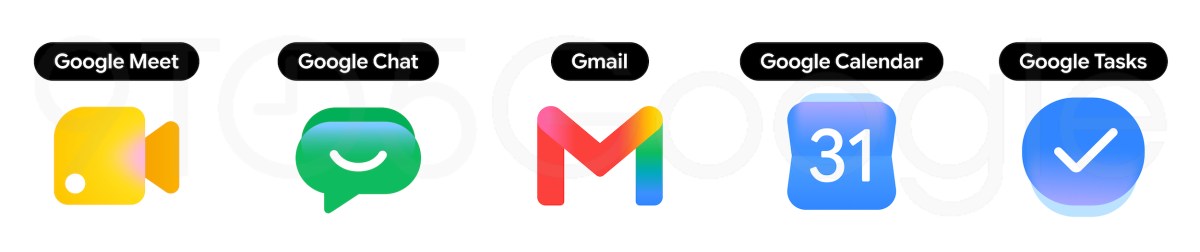
For years, users complained that the 2020 Gmail “M” looked too much like the 2020 Calendar or Drive icons. The new redesign fixes this by making Red the undisputed protagonist. The “M” envelope shape remains, but it is now a solid, bulbous form.
The four Google colors are still present, but they are relegated to subtle accents at the corners. The result is an icon that screams “Gmail” through its silhouette and primary hue, rather than getting lost in a rainbow of lines. It feels heavier, more “clickable,” and significantly more recognizable in a notification tray.
Why did Google choose a “retro” look for the new Calendar icon?
Perhaps the most surprising change is Google Calendar. In a pivot toward “skeuomorphism”—a design style where digital items mimic real-world objects—the Calendar icon has returned to the classic “flip-style” desk calendar look.
The 2020 version was a flat, white square with a multi-colored border. The 2026 version restores the deep “Google Blue” as its primary color and removes the white “page container” that previously restricted its size. This “throwback” design is a nod to utility; it looks like a calendar, which makes it instantly intuitive, even for new users.
What does the shift to Yellow signify for Google Meet?
Google Meet has undergone one of the most radical color departures in the set. While it remains a video camera icon, the predominant color is now a warm, glowing yellow.
The rationale here appears to be two-fold. First, it completely separates Meet from the “Blue” of Calendar and Tasks, making it stand out during a busy workday. Second, yellow is often associated with “communication” and “energy” in color theory. By moving away from the cold professional blue/green of the previous version, Google is positioning Meet as a more approachable, “live” experience.
How are Docs, Sheets, and Slides being “reframed” for the modern web?
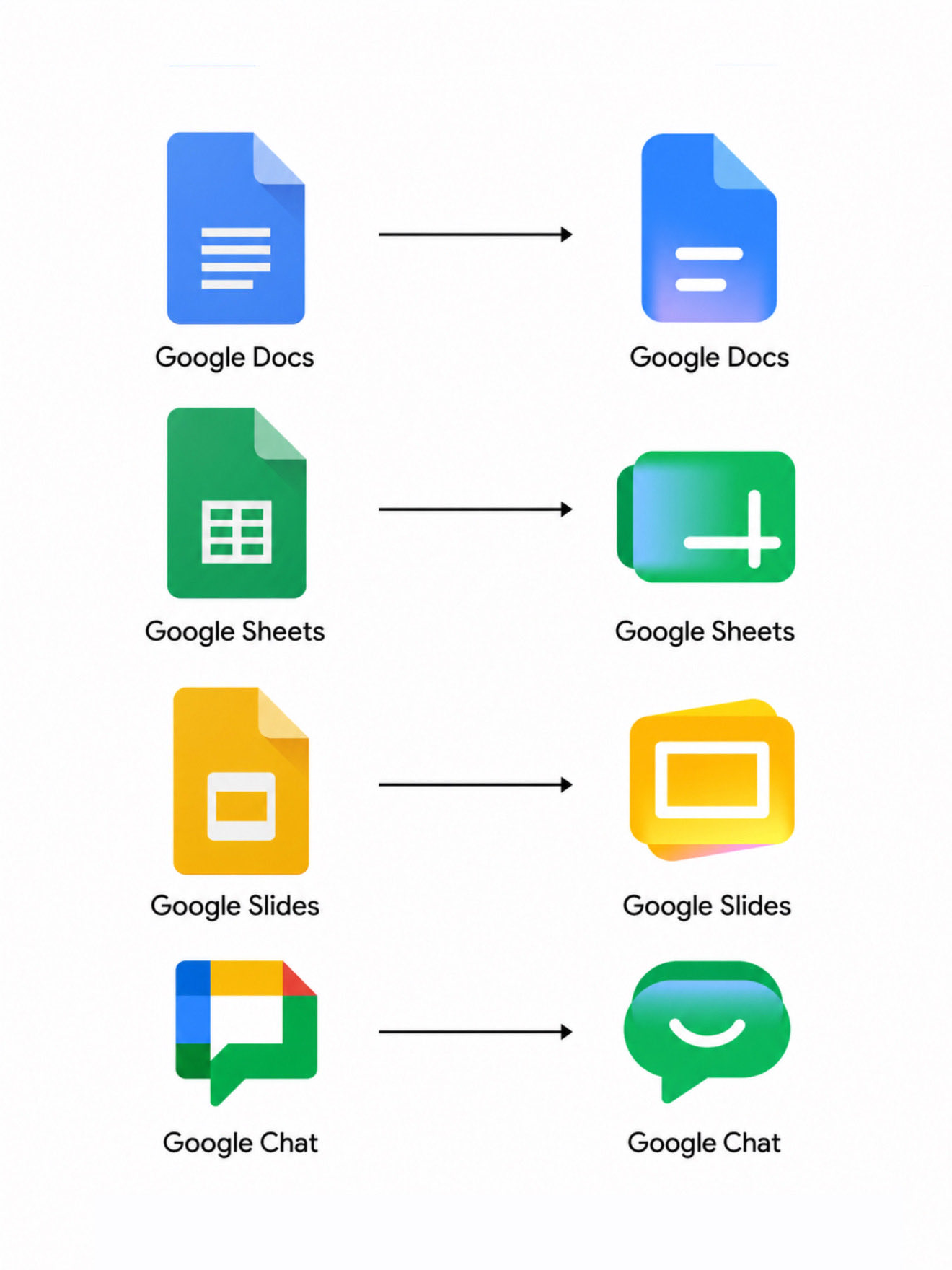
For the “Editors” suite, Google has made a clever functional change. Previously, all three icons were vertical rectangles, mimicking a standard sheet of A4 paper.
In the 2026 redesign, the “page container” (the white background) has been removed entirely. Furthermore, while Docs remains a vertical sheet (reflecting its use for letters and reports), Sheets and Slides have been rotated into a landscape orientation. This is a brilliant reflection of how we actually use these apps: spreadsheets are wide, and presentations are widescreen. This orientation shift provides a “shape-based” shorthand that helps users distinguish between a spreadsheet and a document without even looking at the color.
Why is Google Chat smiling?
Google Chat has received a friendly makeover. Moving away from the sharp, utilitarian chat bubbles of the past, the new icon is a pill-shaped bubble in a vibrant “Hangouts-inspired” green.
The most notable detail is the “smile” integrated into the bubble’s tail. This is a clear attempt to make the Workspace environment feel less “corporate” and more “social,” reflecting the blurred lines between professional and personal communication in a remote-work world.
How do Keep and Tasks simplify the “cluttered” dashboard?
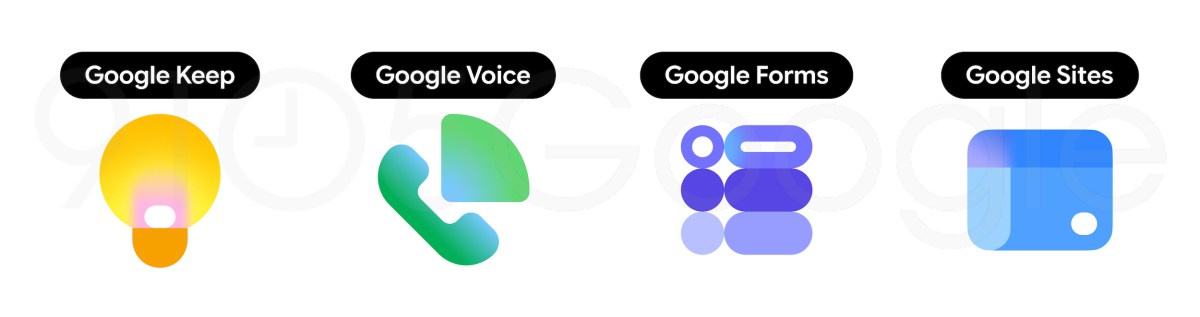
The smaller utility apps—Keep, Tasks, and Voice—have also been “liberated” from their containers.
- Google Keep: The yellow square background is gone. Now, only the detailed lightbulb remains, featuring a more intricate filament and a soft glow.
- Google Tasks: The checkmark has been reimagined as a 3D-style button. It looks like something you want to physically press, reinforcing the psychology of “checking off” a to-do item.
- Google Sites: It has shifted from a dark, heavy blue to a lighter, more ethereal tone, with a horizontal orientation that reflects a desktop web browser.
What does this mean for the future of Google’s brand identity?
This redesign marks a transition from “Minimalism for the sake of Minimalism” to “Meaningful Design.” By removing the white boxes that caged these icons, Google is allowing them to take up more visual space and express more character.
The 2026 icons tell a story of a company that is confident in its AI future but humble enough to admit that the “four-color line” experiment of 2020 made things a bit too confusing. By blending bold colors, functional shapes, and the “intelligence” of the gradient, Google has created a suite of icons that aren’t just beautiful—they’re actually usable again.